How Much Solar to Run A Tv
Trying to figure out how to keep your favorite shows streaming or that big game from going dark when you're off-grid can feel like a riddle. Many folks struggle to estimate the actual power a TV sips, making it tough to design a reliable solar setup without overspending or constantly running out of juice. This guide will walk you through exactly how to calculate your TV's energy demands and then size the essential components of your off-grid solar system to ensure uninterrupted viewing pleasure.
Understanding Your TV's Power Habits
Before you can even begin to think about solar panels and batteries, you need to get intimately familiar with how much power your television actually uses. It's not as straightforward as just looking at the box, because real-world usage can vary quite a bit.
Deconstructing Watts, Watt-Hours, and Amps
These terms can sometimes feel like a foreign language, but they're crucial for understanding your energy needs. Let's break them down simply:
- Watts (W): Think of watts as the instantaneous amount of power your TV is drawing at any given moment. It's like how fast water is flowing out of a faucet right now. A TV might draw 50 watts while on, but 1 watt in standby. This is important for sizing your inverter, which needs to handle the maximum wattage your TV (and any other simultaneously running appliances) will pull.
- Watt-Hours (Wh): This is the total amount of energy consumed over time. It's the most critical number for determining your daily energy needs and, subsequently, the size of your battery bank. If a 50-watt TV runs for 4 hours, it uses 200 watt-hours (50W x 4h = 200Wh). This is like the total volume of water collected in a bucket over a period. Understanding this is key to your overall Off-Grid Solar Load Calculation Explained.
- Amps (A) / Amp-Hours (Ah): Amps represent the electrical current. Amp-hours, like watt-hours, measure energy over time, but specifically for DC (direct current) systems, which is what your batteries operate on. You'll often see battery capacities listed in Amp-hours. To convert between Watt-hours and Amp-hours (or vice versa), you need to know the system's voltage (V). For example, if you have a 12V system, 120Wh is equal to 10Ah (120Wh / 12V = 10Ah). This conversion is essential when figuring out How Many Batteries for an Off-Grid System.
Finding Your TV's Actual Power Consumption
Manufacturers often list "typical" or "maximum" power draw, but that doesn't always reflect your actual usage. Here's how to get a realistic number:
- Check the Label: Look for a label on the back of your TV, or in its user manual. It usually specifies the power consumption in watts (W) or volts (V) and amps (A). For example, it might say "120V, 1.5A," which means 180W (120V * 1.5A). Keep in mind this is often a maximum draw.
- Use a Kill-a-Watt Meter: This is the absolute best way to know. A simple plug-in watt meter, often called a "kill-a-watt" meter, which you can easily find on Amazon, is your best friend here. Plug your TV into it, then plug the meter into the wall. It will show you the real-time wattage while the TV is on, and can even track watt-hours over a period. You'll often find modern LED TVs are much more efficient than older LCD or plasma models. For instance, a 40-inch LED TV might draw 50-70W, while an older plasma could easily pull 200-300W. Don't forget to measure the standby power too, as many smart TVs draw a surprising amount even when "off."
- Consider TV Type and Size:
- CRT TVs (older tube TVs): These are extremely inefficient and consume a lot of power. If you still have one, it's probably not ideal for off-grid living unless it's a very small, occasional use model.
- Plasma TVs: Also very power-hungry, often 150-300W or more, and generate a lot of heat. Best avoided for off-grid.
- LCD TVs: Better than plasma, but still generally less efficient than modern LEDs. A 40-inch LCD might draw 100-150W.
- LED TVs (including OLED, QLED): These are the most energy-efficient options available today. A 40-inch LED TV typically consumes 40-80W, depending on brightness and features. Larger screens, of course, will use more power. A 65-inch 4K LED TV could easily be in the 100-200W range. When you're choosing a TV for your off-grid setup, opting for the latest LED technology will significantly reduce your power burden.
Calculating Your Daily TV Energy Needs
Once you know how many watts your TV uses when it's on, the next step is to figure out its total daily energy consumption. This isn't just about the TV itself, but also any accompanying devices and how long you plan to use them. This is a critical step in How to Calculate Daily Energy Usage for your entire system.
Estimating Daily Viewing Hours
This might seem obvious, but be realistic! Are you planning to watch a movie every night, catch up on news in the morning, or have it on for background noise?
- Occasional Use (e.g., weekend cabin, emergency backup): Maybe 1-2 hours a day, or even less. If you're only using your TV for a couple of hours on a Saturday night at your hunting cabin, your energy demands will be minimal.
- Moderate Use (e.g., full-time RV, tiny home): Perhaps 3-5 hours a day. Many RVers find themselves watching TV in the evenings or during bad weather, making this a common usage pattern.
- Heavy Use (e.g., homestead, primary entertainment): 6+ hours a day. If the TV is your main source of entertainment, especially for a family, the hours can add up quickly.
Let's take an example: If your 55-inch LED TV draws 90 watts while it's actively on, and you plan to watch it for 4 hours each evening, your daily energy consumption for the TV alone would be:
90 Watts (TV) x 4 Hours/Day = 360 Watt-hours (Wh) per day.
This number is what you'll use to size your battery bank.
Factoring in Standby Power and Accessories
Many people forget about the "hidden" power drains associated with their TV setup. These might seem small individually, but they can add up, especially over 20 hours a day when the TV isn't actively in use.
- Standby Power: Most modern TVs, particularly smart TVs, still draw a small amount of power even when "off." This allows them to quickly turn on, stay connected to Wi-Fi, or download updates. This can range from 1W to 10W or more. If your smart TV pulls 5W in standby for 20 hours a day, that's an additional 100 Wh (5W x 20h = 100Wh) that you need to account for. For critical off-grid setups, consider plugging your TV into a power strip you can switch off completely to eliminate this phantom load, or using a DC television that can be disconnected.
- Streaming Devices: Roku, Apple TV, Chromecast, Fire Stick – these devices are always "on" or in standby, connected to Wi-Fi, and waiting for your command. Each can draw 3-10W or more. If you have two streaming devices, a soundbar, and a gaming console connected, their combined standby draw can easily surpass that of the TV itself.
- Soundbars and Audio Systems: These enhance your viewing experience but also add to your power consumption. A typical soundbar might draw 20-50W when in use and 5-10W in standby.
- Cable/Satellite Boxes, Gaming Consoles, Blu-ray Players: Each of these devices contributes to your total load. A gaming console can draw 50-150W when active, and 10-20W in standby.
To get your actual daily TV-related energy needs, you need to add all these up.
Let's refine our example:
- TV active: 90W for 4 hours = 360 Wh
- TV standby: 5W for 20 hours = 100 Wh
- Streaming stick active: 8W for 4 hours = 32 Wh
- Streaming stick standby: 3W for 20 hours = 60 Wh
- Soundbar active: 30W for 4 hours = 120 Wh
- Soundbar standby: 7W for 20 hours = 140 Wh
Total Daily Energy Consumption for TV Entertainment: 360 + 100 + 32 + 60 + 120 + 140 = 812 Watt-hours per day.
As you can see, the accessories and standby power significantly inflate the total. This detailed approach is what you need for How to Size an Off-Grid Solar System accurately.
Here's a quick reference table for common TV power consumption, but remember to measure your specific setup if possible:
| TV Type/Size (Approx.) | Active Wattage (W) | Standby Wattage (W) | Example Daily Wh (4 hrs active, 20 hrs standby) |
|---|---|---|---|
| 32" LED/Smart TV | 30-50 W | 2-5 W | (40W*4h) + (3W*20h) = 160 + 60 = 220 Wh |
| 40-55" LED/Smart TV | 50-90 W | 3-7 W | (70W*4h) + (5W*20h) = 280 + 100 = 380 Wh |
| 60-75" 4K LED/OLED TV | 100-200 W | 5-10 W | (150W*4h) + (8W*20h) = 600 + 160 = 760 Wh |
| Small Streaming Stick | 5-10 W | 2-4 W | (8W*4h) + (3W*20h) = 32 + 60 = 92 Wh |
| Soundbar | 20-50 W | 5-10 W | (30W*4h) + (7W*20h) = 120 + 140 = 260 Wh |
| Gaming Console | 50-150 W | 10-20 W | (100W*2h) + (15W*22h) = 200 + 330 = 530 Wh |
Note: These are estimates. Always check your device labels or use a watt meter for precise measurements.
Sizing Your Off-Grid Solar Components for TV Power
With your total daily Watt-hour consumption for your TV and its accessories firmly established, we can now move on to sizing the actual components of your off-grid solar system. This is where the rubber meets the road, ensuring you have enough generation, storage, and conversion capacity.
How Much Battery Capacity Do You Need
Your battery bank is the heart of your off-grid system, storing the solar energy until you need it. Sizing it correctly is paramount to avoid constant power outages, especially on cloudy days. You'll want to calculate your required Amp-hours (Ah) based on your chosen system voltage (e.g., 12V, 24V, 48V). Generally, for larger systems powering a full-size TV, a 24V or 48V system is more efficient.
Using our example of 812 Wh per day for the TV and accessories:
- Determine Days of Autonomy: This is how many days you want your batteries to power your loads without any sun. For most off-grid systems, 2-3 days is a common target to account for bad weather. Let's aim for 2 days.
- Total Wh needed: 812 Wh/day * 2 days = 1624 Wh
- Account for Inverter Efficiency: Your inverter isn't 100% efficient; some energy is lost during the DC-to-AC conversion. A good inverter might be 85-90% efficient. Let's use 85%.
- Battery Wh needed: 1624 Wh / 0.85 = 1910 Wh
- Consider Battery Depth of Discharge (DoD): This is how much of the battery's capacity you can safely use.
- Lead-acid batteries (like AGM or flooded): Generally, you shouldn't discharge them below 50% to maximize their lifespan. So, you'd need double the usable capacity.
- Lithium Iron Phosphate (LiFePO4) batteries: These can safely be discharged to 80-100% without significant impact on their lifespan, making them a far more efficient choice, especially for the long haul. While the initial LiFePO4 vs Lead-Acid Battery Cost might seem higher, their longevity and usable capacity often make them more cost-effective over time.
- Let's assume we're using LiFePO4 batteries and aiming for 80% DoD.
- Total battery capacity (Wh): 1910 Wh / 0.80 = 2388 Wh
- Convert to Amp-hours (Ah): Now, convert this to Ah based on your system voltage. Let's say you're building a 12V system for simplicity, although a 24V or 48V system might be more appropriate for a TV and accessories.
- Total battery capacity (Ah): 2388 Wh / 12V = 199 Ah
So, for our example, you'd need roughly 200 Ah of usable LiFePO4 battery capacity in a 12V system to power your TV setup for two cloudy days. If you go with lead-acid, you'd need a 400 Ah battery bank to get the same usable 200 Ah. When looking for batteries, check out reputable brands like Battle Born or EG4, which offer excellent LiFePO4 options. Renogy also provides a range of good quality lithium batteries suitable for various off-grid applications.
How Many Solar Panels You Need
Now that you know your daily Watt-hour requirement, we can figure out how many solar panels you'll need to replenish that energy (and more) each day. This calculation depends heavily on your location's "peak sun hours." Peak sun hours refer to the equivalent number of hours per day when the sun's intensity averages 1,000 watts per square meter (STC).
- Determine Your Peak Sun Hours: This varies greatly by location and time of year. For example, sunny Arizona might get 5-7 peak sun hours, while a cloudy region in the Pacific Northwest might only get 2-3 in winter. Aim to size your system for the worst-case scenario (e.g., winter months) if you plan on year-round use. Let's assume you get 4 peak sun hours per day on average in the winter.
- Calculate Total Panel Wattage: You need to replace the 812 Wh you use daily, plus any battery charging inefficiencies. Let's use our calculated battery input of 1910 Wh (after inverter efficiency but before DoD).
- Total panel wattage: 1910 Wh / 4 Peak Sun Hours = 477.5 Watts
So, you would need approximately 480 watts of solar panels to recharge your batteries daily for your TV setup. You could achieve this with two 250W panels or three 170W panels. It's often a good idea to slightly oversize your solar array to account for less-than-ideal conditions, panel degradation, and future expansion. For a comprehensive look, dive into How Many Solar Panels for Off-Grid Living. When choosing panels, brands like Renogy and Rich Solar offer reliable and cost-effective options often found on Amazon.
Choosing the Right Inverter
The inverter is the unsung hero that takes the DC power from your batteries and converts it into usable AC power for your TV and other household appliances.
- Determine Continuous Wattage: This is the total wattage of all AC appliances you plan to run simultaneously. For our example, if your TV is 90W, streaming stick 8W, and soundbar 30W, that's a continuous load of 128W.
- Consider Surge Wattage: Many appliances, especially those with motors (like a refrigerator or an air conditioner), have a "surge" or "starting" wattage that is much higher than their continuous running wattage, typically for a few seconds when they first kick on. While a TV generally doesn't have a huge surge, if you also plan to run other items like a microwave or power tools, you need an inverter that can handle those temporary spikes.
- For example, a typical full-size refrigerator might surge to 1000-2000W when its compressor starts, even if it only runs at 150-200W continuously.
- Pure Sine Wave is Non-Negotiable: For sensitive electronics like TVs, laptops, and streaming devices, a pure sine wave inverter is absolutely essential. Modified sine wave inverters are cheaper but can damage electronics, cause buzzing noises, and lead to inefficient operation. Never skimp here!
- Sizing the Inverter: Your inverter's continuous rating should be higher than your maximum simultaneous continuous load. Its surge rating should be higher than your highest single appliance surge load.
- In our example, with a continuous TV-related load of 128W, a 500W to 1000W pure sine wave inverter would be more than sufficient. This provides plenty of headroom for future small appliances or other occasional uses. However, if you plan to power a well pump or a mini-split AC unit with the same inverter, you’ll need a much larger unit, perhaps 3000W or even 5000W, to handle those significant surge loads. For more in-depth guidance, check out How to Size an Off-Grid Inverter. Brands like Victron Energy, Growatt, and Sol-Ark offer excellent pure sine wave inverters suitable for off-grid living, many of which are reviewed in our guide on Best Off-Grid Solar Inverters.
Optimizing Your TV Setup and Saving Power
Getting a TV to run reliably off-grid isn't just about throwing more solar panels and batteries at the problem. Smart energy management can significantly reduce your overall power needs, saving you money and increasing your system's resilience.
Tips for Reducing TV Energy Consumption
Every watt saved is a watt you don't have to generate or store, which means a smaller, more affordable system and less stress during cloudy periods.
- Adjust Brightness and Contrast: Modern TVs often come with very high default brightness settings, which consume more power. Go into your TV's settings and reduce the brightness and contrast to a comfortable level. You'll be surprised how much energy this can save without significantly impacting your viewing experience. Many TVs also have ambient light sensors that can automatically adjust brightness, which can be a good feature to enable.
- Enable Eco Modes/Power Saving Features: Most smart TVs have "eco modes" or "power-saving" settings that optimize various parameters to reduce consumption. These might slightly dim the screen, disable unnecessary background processes, or even turn off the display when no input is detected. Take a few minutes to explore your TV's menu for these options.
- Turn Off Unused Features: If you're not using Wi-Fi, Bluetooth, or certain smart TV functionalities (like voice assistants that are always listening), consider disabling them. These background processes draw constant, albeit small, amounts of power.
- Unplug When Not in Use (or use a switched power strip): As discussed earlier, standby power can add up. If you're going to be away from your off-grid cabin or RV for an extended period, or simply want to eliminate all phantom loads overnight, unplugging the TV and its accessories completely is the most effective solution. A power strip with individual switches for each outlet can also be a convenient way to cut power to specific devices.
- Consider a Smaller TV: While everyone loves a big screen, a smaller TV inherently uses less power. If you're designing a system from scratch for off-grid living, weigh the desire for a huge display against the additional solar and battery capacity it will demand.
- Optimize Your Viewing Habits: Sometimes, the simplest solution is to just watch less TV. Consider other forms of entertainment that consume less power, like reading, board games, or spending time outdoors.
Considering Hybrid Solutions or DC TVs
For the ultimate in efficiency, especially in smaller off-grid setups like RVs or tiny homes, you might want to look beyond traditional AC household TVs.
- 12V DC Televisions: Many TVs are designed specifically for RVs, boats, or trucks, running directly on 12V DC power. This eliminates the need for an inverter (at least for the TV), which means no efficiency losses during DC-to-AC conversion, saving you precious watt-hours. These TVs are often more rugged and designed for mobile environments. While they might be slightly more expensive or offer fewer features than their AC counterparts, the energy savings can be significant. Brands like Jensen, SuperSonic, and Skyworth often produce these specialized DC TVs. You can often find a good selection by searching on Amazon for "12V RV TV".
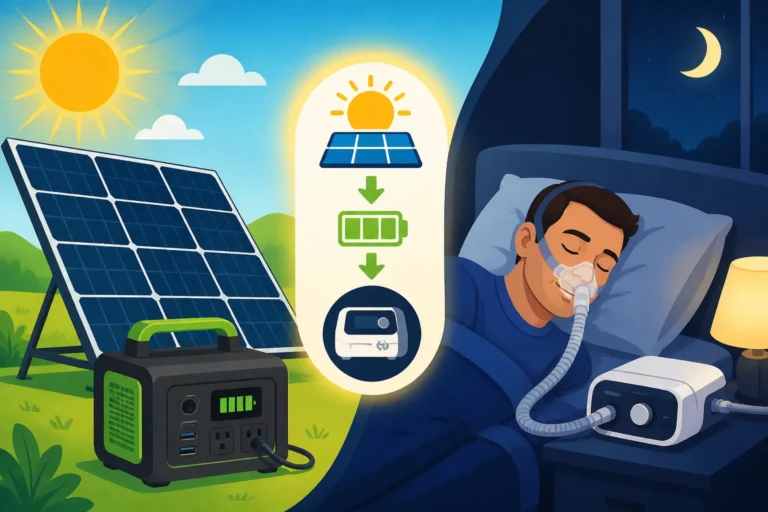
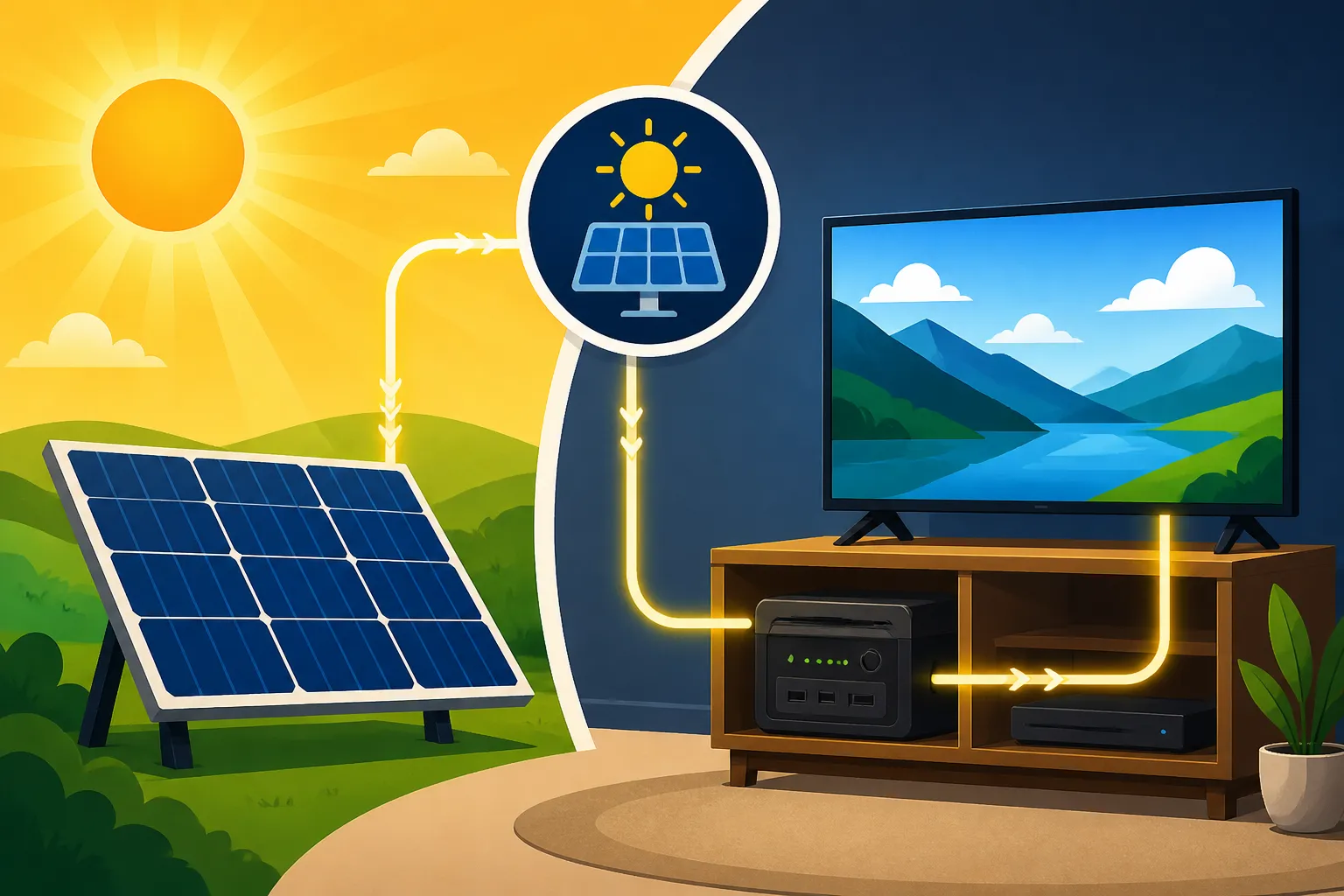
- Solar Generators for Backup or Dedicated TV Power: For those with smaller, modular systems, or who only want to power a TV occasionally, a solar generator (also known as a portable power station) can be a fantastic option. Brands like EcoFlow, Bluetti, and Jackery offer units that include an inverter, battery, and charge controller all in one. You can charge them from solar panels, and then plug your TV directly into them. This acts as a dedicated power source for your entertainment, keeping your main off-grid system free for larger loads. While not a full-scale off-grid solution, they're great for a Cost of Adding a Generator to Off-Grid Solar or as part of Best Off-Grid Solar Kits for Beginners.
- Utilize a DC-to-DC Converter for Small Loads: If you have an AC TV but want to power a small streaming stick or router directly from your 12V system, you can often use a small DC-to-DC converter. Many streaming devices actually run on 5V or 9V DC internally, with the wall adapter just stepping down the AC to that voltage. By using a compatible DC converter, you can bypass the main inverter for these tiny loads and save even more energy.
By understanding your TV's power consumption, accurately calculating daily energy needs, and then appropriately sizing your solar components, you can enjoy your favorite shows and movies without worrying about running out of power. Remember that a bit of planning and smart power management goes a long way in creating a truly reliable and enjoyable off-grid experience. For a more complete financial picture of setting up your system, consider looking at an Off-Grid Solar Cost: Complete Breakdown.
Disclaimer
The information provided in this guide is for general informational purposes only and should not be considered professional advice. Off-grid solar system design and installation can be complex and involve electrical hazards. Always consult with qualified professionals and adhere to local codes and regulations when planning or installing your system. We are not responsible for any outcomes or damages resulting from the use of this information.