How Much Solar to Run A Laptop
Running your laptop off-grid can feel like a game of Russian roulette with your battery indicator, especially when you're out in the wilds or trying to minimize your carbon footprint. There's nothing worse than being deep in concentration on a project, or trying to unwind with a movie, only for your screen to go dark because you've run out of juice. If you've ever wondered how much solar power it truly takes to keep your laptop humming along, you're in the right place. This guide will meticulously break down the calculations and considerations, making your off-grid laptop dreams a tangible reality.
Understanding Your Laptop's Power Needs
Before you can even think about solar panels and batteries, you've got to get a handle on what your laptop actually demands in terms of electricity. It's not as simple as just plugging it in; there's a bit of detective work involved to understand its unique energy fingerprint.
Laptop Wattage Versus Watt-Hours
This is probably the most common point of confusion, and frankly, it tripped me up for a while too! When we talk about electrical power, we often hear "watts." But for off-grid living, it's "watt-hours" (Wh) that truly matter. Think of it this way: watts (W) are like the speedometer in your car – they tell you how fast you're consuming power at any given moment. Watt-hours (Wh), on the other hand, are like the odometer – they tell you the total distance (total energy) you've consumed over a period.
For example, a laptop might draw 45 watts while running. But if you run it for 4 hours, it's consumed 45 watts * 4 hours = 180 watt-hours. Your solar system needs to produce enough watt-hours to match or exceed your daily consumption, and your battery bank needs to store enough watt-hours for when the sun isn't shining. Understanding this fundamental difference is crucial for accurately figuring out how many watts of solar you need for your system. It's the building block of all your off-grid calculations.
Daily Usage Patterns and Tasks
Not all laptop usage is created equal, and your daily habits will drastically impact your energy needs. Are you just checking emails and browsing the web for an hour or two? Or are you a digital nomad editing 4K videos, gaming, or compiling complex code for eight hours straight? These activities draw wildly different amounts of power. A laptop used for light browsing might only pull 20-30 watts, while a high-performance gaming laptop or workstation could easily demand 90-120 watts or even more under heavy load.
Consider a typical day. Do you use your laptop for a few hours in the morning, then again in the evening? Or is it continuously on throughout your workday? Do you always plug in peripherals like external monitors, hard drives, or charge your phone via USB? Each accessory adds to the total draw. Keeping a mental (or actual) log of how you use your laptop can give you a much clearer picture than just looking at the theoretical maximum wattage. This practical understanding is key to accurately calculate daily energy usage for your specific setup.
Checking Your Laptop's Power Adapter
The easiest, most straightforward way to get a baseline for your laptop's maximum power draw is to look at its power adapter (the brick between the wall and your laptop). On this adapter, you'll typically find an "Output" rating. This will usually be listed in Volts (V) and Amps (A). To get the wattage, you simply multiply these two numbers together (Watts = Volts x Amps).
For instance, if your adapter says "Output: 19V 3.42A," your laptop's maximum draw is 19 * 3.42 = 64.98 watts. Let's round that up to 65 watts for simplicity. This 65W figure is the maximum your laptop's power supply can deliver, meaning your laptop can draw up to that much. It won't always draw this much, but it's a safe upper limit to use for your calculations, giving you a buffer. This helps you figure out what size inverter you might need later on.
Calculating Solar Panel and Battery Requirements
Once you know how much power your laptop needs, you can start crunching the numbers for your solar setup. This is where the magic of off-grid living really begins to take shape, translating your daily habits into tangible equipment.
Determining Daily Energy Consumption for Your Laptop
Let's take that 65-watt laptop from our example. If you plan to use it for an average of 4 hours a day, your daily energy consumption for just the laptop would be 65 watts * 4 hours = 260 watt-hours (Wh). Now, this is just for the laptop. You'll likely have other devices you want to power – a phone, lights, maybe a small fan. When you're sizing an off-grid solar system, you'll need to do a full load analysis for all your devices. But for now, we're focusing on the laptop.
It's also smart to add a buffer to your daily consumption. Life happens, you might use it longer one day, or you might need to account for inefficiencies in your inverter. A good rule of thumb is to add 20-30% to your calculated consumption. So, 260 Wh * 1.25 (for a 25% buffer) = 325 Wh. This is the daily energy target your solar system needs to provide for your laptop. This buffer is a small but critical step in learning how to calculate off-grid solar needs effectively.
Sizing Your Solar Panels
Now that we know we need about 325 Wh per day for our laptop, how many solar panels does that translate to? This depends heavily on your "peak sun hours." Peak sun hours are the equivalent number of hours per day when sunlight intensity averages 1,000 watts per square meter. This isn't just how long the sun is in the sky, but how many effective hours of strong sun you get. You can find average peak sun hours for your specific location online (e.g., in Arizona, you might get 5-6 peak sun hours, while in Seattle during winter, it might be 2-3). Let's assume you're in a fairly sunny location with 5 peak sun hours per day.
To calculate the required panel wattage, we'll use our daily energy target and peak sun hours, while also factoring in system losses (like shading, temperature, and inverter inefficiency), which can be around 20-30%.
Required Panel Watts = (Daily Watt-hours / Peak Sun Hours) / System Efficiency
So, for our 325 Wh laptop need: (325 Wh / 5 hours) / 0.75 (assuming 75% efficiency after losses) = 65 / 0.75 = 86.67 watts. This means you'd ideally want at least 87 watts of solar panels. A single 100-watt solar panel would typically be sufficient to cover your laptop's daily needs under these conditions. If you choose a quality panel from brands like Renogy, you're likely to hit close to those efficiency numbers. Remember, this is a simplified calculation; a more detailed approach involves looking at specific panel performance and array tilt. If you're wondering how many watts of solar you need, remember to account for these variables.
Sizing Your Battery Bank
Your battery bank is the heart of your off-grid system, storing that precious solar energy for when the sun isn't shining. When it comes to how much battery capacity you need, we're again looking at watt-hours, but also considering "days of autonomy" and "depth of discharge" (DoD). Days of autonomy refer to how many days your battery can power your loads without any sun. For a laptop, you might aim for 1-2 days of autonomy.
Let's stick with our 325 Wh daily laptop consumption target. If you want 2 days of autonomy, you need 325 Wh/day * 2 days = 650 Wh of usable battery capacity.
Now, batteries have different depths of discharge. For traditional lead-acid batteries, you should only discharge them to about 50% to prolong their life. For Lithium Iron Phosphate (LiFePO4) batteries, you can safely discharge them to 80-100%. Given their longevity and performance, LiFePO4 vs Lead-Acid Battery Cost discussions often lean towards lithium for off-grid applications. Let's assume we're using LiFePO4 for better performance.
Usable Capacity = Total Battery Capacity * Depth of Discharge
So, if we need 650 Wh usable capacity and are using LiFePO4 with 80% DoD:
Total Battery Capacity = Usable Capacity / DoD = 650 Wh / 0.80 = 812.5 Wh.
If you're building a 12-volt system, you'd convert this watt-hour capacity to amp-hours (Ah):
Amp-hours = Watt-hours / Volts = 812.5 Wh / 12V = 67.7 Ah.
So, a 12V 100Ah LiFePO4 battery would give you more than enough capacity for 2 days of laptop usage (12V * 100Ah = 1200 Wh, with 80% usable = 960 Wh). If you were to use a 24V or 48V system, the amp-hour requirement would be lower, but the total watt-hour capacity remains the same. Understanding how many batteries for an off-grid system depends heavily on these calculations.
Essential Components for a Laptop Off-Grid Solar Setup
Beyond the panels and batteries, there are other crucial pieces of the puzzle that ensure your system runs smoothly, safely, and efficiently. Neglecting these can lead to frustration or, worse, damaged equipment.
The Role of the Charge Controller
A charge controller is like the brain of your solar charging system. Its primary job is to regulate the voltage and current coming from your solar panels to your battery bank. Without it, your batteries would be overcharged, leading to premature failure, or even dangerous situations. There are two main types: PWM (Pulse Width Modulation) and MPPT (Maximum Power Point Tracking).
MPPT controllers are generally more efficient, especially in varied weather conditions or when panel voltage significantly differs from battery voltage. They can extract up to 10-30% more power from your panels compared to PWM controllers. For an off-grid setup, especially one you rely on for a laptop, an MPPT charge controller is highly recommended. Many reputable brands offer excellent MPPT controllers, and choosing the Best MPPT Charge Controllers can significantly boost your system's performance. When you're learning how to size a charge controller, you'll match its amperage rating to your panel array's maximum current.
Choosing the Right Inverter
Your laptop runs on AC (alternating current) power, just like your house outlets. Solar panels and batteries, however, produce and store DC (direct current) power. This is where the inverter comes in. It converts the DC power from your battery bank into usable AC power for your laptop. For sensitive electronics like laptops, you must use a pure sine wave inverter. Modified sine wave inverters are cheaper, but they produce a "choppy" waveform that can damage electronics, cause buzzing, and reduce efficiency.
The size of your inverter (rated in watts) needs to be sufficient to handle the continuous power draw of your laptop, plus any other AC devices you plan to run simultaneously. Since our example laptop draws 65 watts, a 150-watt to 300-watt pure sine wave inverter would be more than enough. It's often smart to oversize your inverter a bit to accommodate occasional surges or if you decide to power more devices later. You can find a vast selection of inverters on platforms like Amazon, or from specialized off-grid retailers. When looking at Best Off-Grid Solar Inverters, always prioritize pure sine wave for laptops.
Cabling, Fuses, and Connectors: Safety and Efficiency
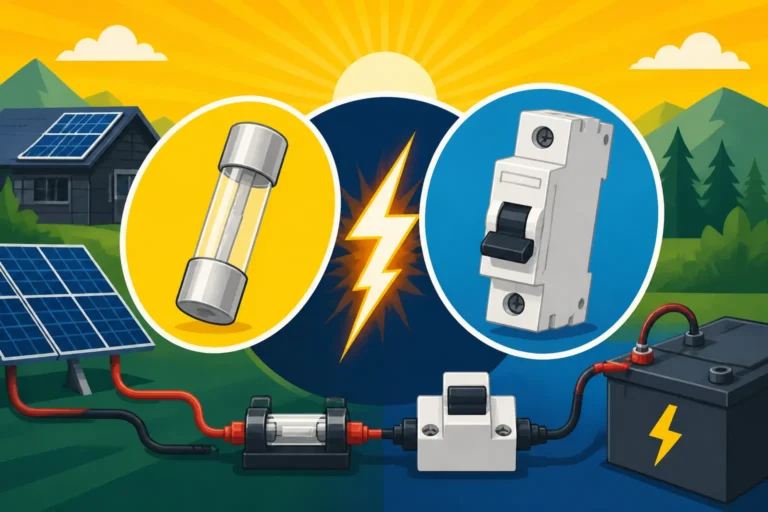
It's easy to overlook the "small" components, but wiring and safety devices are critical for any off-grid solar system. Undersized wires can lead to voltage drop (meaning less power reaches your devices) and, more dangerously, overheating and fire hazards. Fuses and circuit breakers protect your equipment and, most importantly, you, from short circuits and overcurrents.
When setting up your system, ensure you use appropriately gauged copper wiring for all connections – from panels to charge controller, charge controller to battery, and battery to inverter. Consult wiring charts to match wire gauge to current and distance to minimize voltage drop. Use MC4 connectors for your solar panels for weather-tight and secure connections. Install fuses or breakers on both the solar panel input and the battery bank output. These aren't areas to cut corners; proper safety measures are part of a responsible DIY Off-Grid Solar Installation Step by Step. For guidance on safe wiring, look into resources on How to Wire an Off-Grid Solar System.
Putting It All Together: A Sample Laptop Solar System
Let's illustrate how a system designed for running a laptop might look in a real-world scenario. This concrete example can help you visualize your own setup and avoid common pitfalls.
Example Scenario: A Remote Worker's Setup
Imagine Sarah, a freelance writer living in a small cabin in the mountains of North Carolina. She primarily uses her laptop for writing, research, and occasional video calls – about 6 hours a day, averaging 40 watts draw for her efficient ultrabook. She also charges her phone (10W for 2 hours/day) and runs two small LED lights (5W each for 4 hours/day).
Let's break down her total daily energy needs:
- Laptop: 40W * 6 hours = 240 Wh
- Phone: 10W * 2 hours = 20 Wh
- LED Lights: (5W * 2) * 4 hours = 40 Wh
- Total Base Consumption: 240 + 20 + 40 = 300 Wh
- Adding a 25% buffer for inefficiencies and extra usage: 300 Wh * 1.25 = 375 Wh daily target.
North Carolina in her area gets about 4 peak sun hours on average.
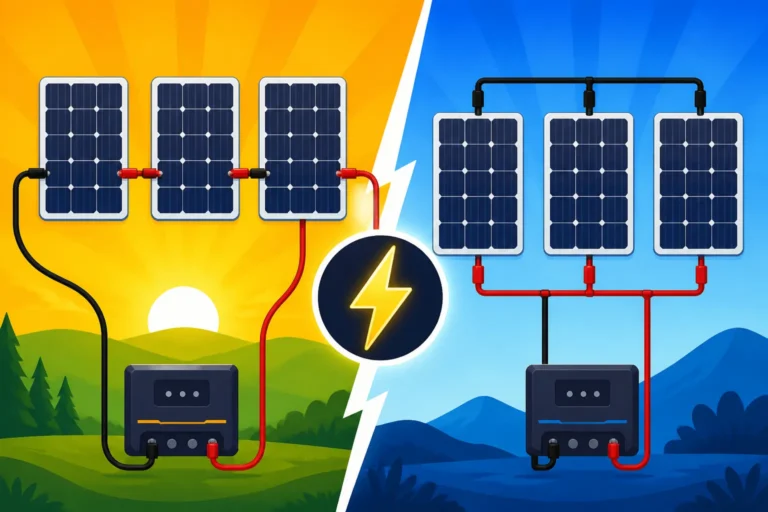
- Panel Sizing: (375 Wh / 4 hours) / 0.75 (system efficiency) = 93.75 / 0.75 = 125 watts. Sarah opts for two 100-watt panels from a reputable brand like Renogy, wired in parallel, giving her a robust 200W array. This allows for cloudy days and provides ample power.
For battery sizing, Sarah wants 2 days of autonomy using a 12V LiFePO4 battery, discharging to 80%.
- Usable Battery Capacity Needed: 375 Wh/day * 2 days = 750 Wh
- Total Battery Capacity Needed: 750 Wh / 0.80 = 937.5 Wh
- Amp-hours: 937.5 Wh / 12V = 78.125 Ah. Sarah decides on a 12V 100Ah LiFePO4 battery, giving her plenty of headroom.
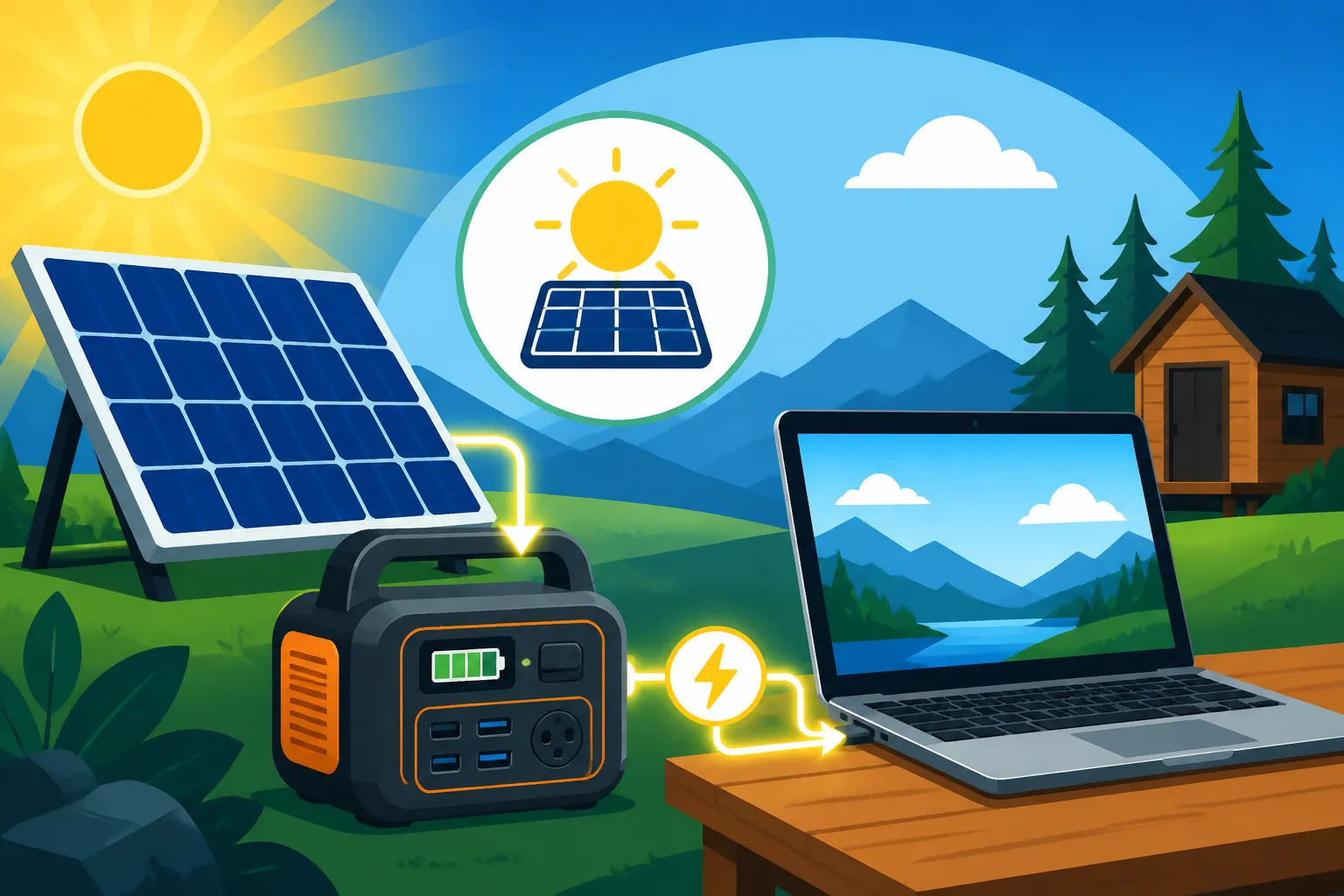
Her inverter needs to handle the laptop (40W), phone charger (10W), and lights (10W) at the same time, maxing out at 60W. She chooses a 300-watt pure sine wave inverter, providing flexibility for future small appliances. For her charge controller, she opts for an MPPT model sized for her 200W array. This holistic view of Off-Grid Solar System Sizing Guide truly helps in real-world application.
Budgeting and Expanding Your System
Going off-grid, even for a laptop, doesn't have to break the bank all at once. One of the great advantages of solar is its modularity. You can start with a basic setup to power your laptop and other essentials, then gradually expand as your needs grow and your budget allows. This is particularly useful when considering your Cost to Run A Laptop on Off-Grid Solar.
For instance, Sarah could have started with just one 100W panel and a smaller 50Ah battery if her usage was lighter or if she only needed power for a few hours. As she realized she needed more capacity, she could then add a second 100W panel and another 50Ah battery (or upgrade to a larger single battery if she planned ahead). When budgeting, always factor in quality components, especially for critical items like the charge controller and inverter. While you can find budget options on Amazon, investing in durable, reliable equipment pays off in the long run. Many people find that thinking about how to design an expandable system from the outset saves money and hassle down the road.
Remember, the goal is sustainable power. Don't underestimate your needs, but don't overspend unnecessarily either. With careful planning and a clear understanding of your laptop's power requirements, you can build an efficient, reliable solar setup that keeps you powered up, no matter where your off-grid adventures take you.
Disclaimer
The information provided in this guide is for general informational and educational purposes only and is not intended as professional advice. Off-grid solar system design and installation can be complex and involve electrical hazards. Always consult with qualified professionals and adhere to local electrical codes and safety regulations when designing, installing, or modifying any solar power system.