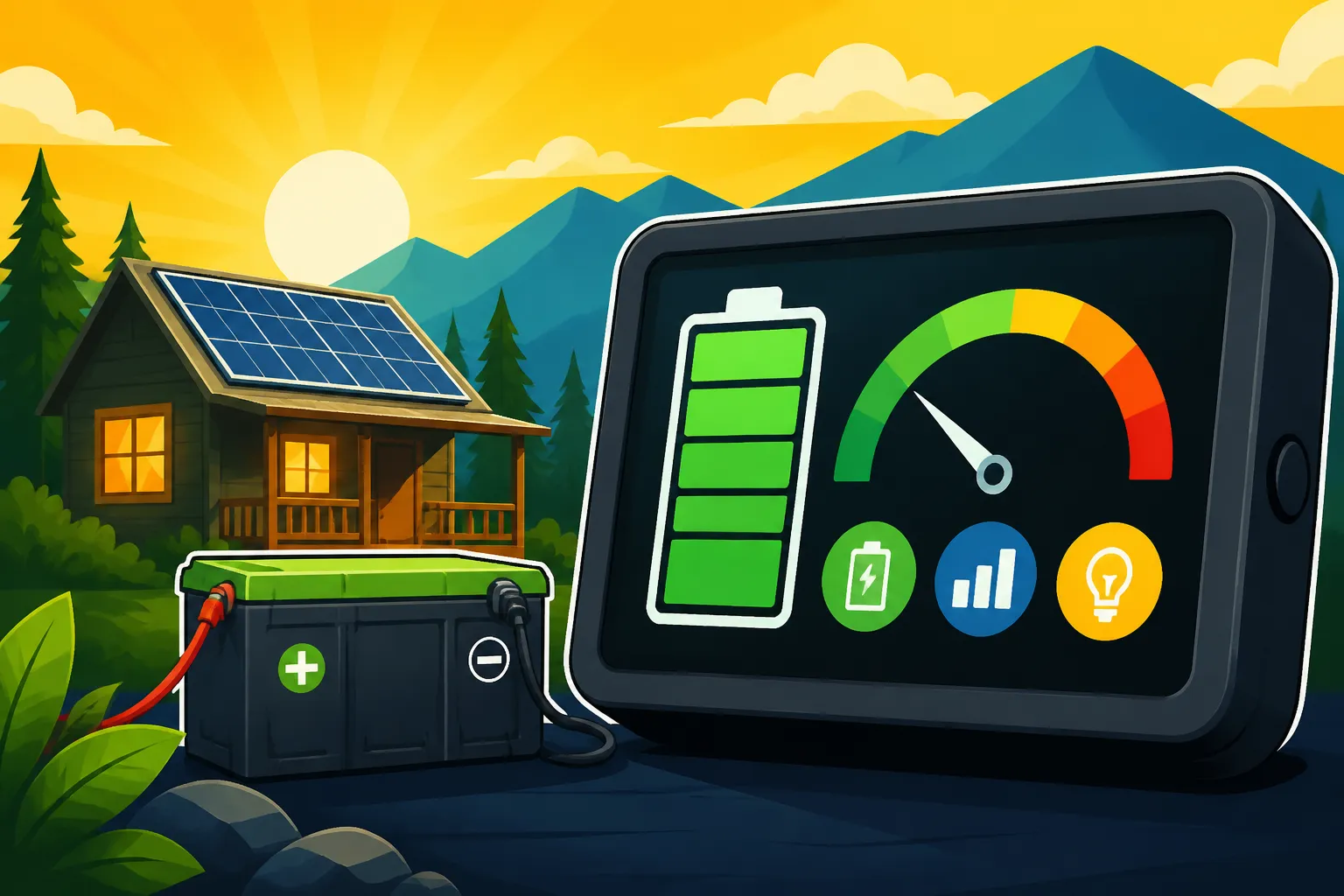
Best Battery Monitor for Off-Grid
One of the most vexing challenges for anyone living off the grid is truly understanding what's going on with your power supply, especially your battery bank. It's not just about having enough juice; it's about knowing exactly how much you have left, how much is coming in, and how much you're using at any given moment. Without this crucial insight, you're essentially driving a car without a fuel gauge, leading to frustrating power outages and potentially costly damage to your expensive batteries. This comprehensive guide is here to unravel the mystery of battery monitoring, helping you choose and understand the best solutions to keep your off-grid life running smoothly.
Why a Battery Monitor is Absolutely Essential for Off-Grid Living
Living off-grid means you're the master of your own power destiny, which sounds liberating until you realize the sheer responsibility that comes with it. Your battery bank is the heart of your entire system, storing the precious energy captured by your solar panels. But unlike flipping a switch on the grid, knowing the true state of your off-grid batteries isn't as simple as glancing at a light. This is where a dedicated battery monitor steps in, transforming guesswork into precise data.
Avoiding Guesswork and Unexpected Outages
Imagine it's a cloudy winter week in upstate Washington, and you're just trying to run your well pump to get some water. You think you have enough power, but suddenly everything cuts out. Sound familiar? Without a proper battery monitor, that's a common scenario. Many off-gridders rely on simply checking the voltage displayed on their inverter or charge controller. While voltage gives you some information, it's a bit like trying to determine how much fuel is in your gas tank by just looking at the engine temperature. It can be misleading, especially with different battery chemistries like LiFePO4 versus traditional lead-acid.
A true battery monitor acts as your system's brain, constantly tracking the flow of electrons in and out of your batteries. It gives you a highly accurate "state of charge" (SOC) percentage, just like the fuel gauge in your car or the battery icon on your phone. This means you'll know if you're at 80%, 50%, or a critical 20% charge. This information is invaluable for managing your energy consumption, making smart decisions like delaying that laundry cycle until the sun comes out, or proactively running your generator during a long stretch of bad weather. It empowers you to prevent those frustrating and inconvenient power interruptions that can quickly dampen the off-grid dream.
Protecting Your Valuable Battery Investment
Let's be real, off-grid batteries are a significant investment. Whether you've opted for the long-lasting, higher upfront cost of lithium iron phosphate (LiFePO4) or the more budget-friendly but maintenance-intensive lead-acid options, protecting them is paramount. Deep cycling, especially with lead-acid batteries, can drastically shorten their lifespan. Constantly discharging them below 50% can cause irreversible damage and reduce their overall capacity much faster than necessary. For LiFePO4 batteries, while more resilient to deep discharges, consistently running them down to their absolute limit can still stress the battery management system (BMS) and potentially lead to premature failure.
A reliable battery monitor helps you avoid these pitfalls by giving you real-time data on your battery's health. You'll see not just the state of charge, but often other critical metrics like current draw (how much power you're using), current input (how much is coming in), and even historical data on your deepest discharges. This data allows you to proactively adjust your energy habits to stay within safe operating limits, significantly extending the life of your battery bank. Think of it as preventative medicine for your power system; a small investment now can save you thousands in replacement costs down the line. It's a key part of understanding the long-term savings of off-grid solar.
How Battery Monitors Work: The Science Behind the Scenes
Understanding the basic principles behind how a battery monitor gathers its data can help you appreciate its value and choose the right one for your setup. Most reliable off-grid battery monitors aren't just reading voltage; they're employing a more sophisticated method to give you an accurate picture.
The Magic of the Shunt
At the heart of almost every accurate battery monitor is a device called a "shunt." No, it's not a magical black box, though it might seem like it when you first look at the wiring diagrams. A shunt is essentially a very precisely calibrated resistor that gets installed on the negative terminal of your battery bank. All current flowing into or out of your batteries must pass through this shunt. As electricity flows through the shunt, it creates a tiny, measurable voltage drop.
The battery monitor then measures this minute voltage drop across the shunt. Because the resistance of the shunt is known, the monitor can then use Ohm's Law (V=IR) to calculate the exact current (amperage) passing through it. It continuously measures this current, integrating it over time (amps multiplied by time equals amp-hours). This process, known as coulometric measurement, allows the monitor to accurately track the total amp-hours removed from and put back into the battery bank. By knowing the total capacity of your battery bank, the monitor can then calculate the precise state of charge. This is far more accurate than relying solely on voltage readings, which can fluctuate with load, temperature, and battery chemistry.
Beyond the Shunt: Voltage, Temperature, and More
While the shunt is crucial for current measurement, a good battery monitor doesn't stop there. It also directly measures the battery bank's voltage. This voltage reading, when combined with the shunt data, provides a much clearer picture of what's happening. For instance, you might see a high voltage, but if your shunt shows a massive current draw, you know your voltage is likely to drop quickly.
Many advanced monitors also include a temperature sensor that connects directly to one of your battery terminals. Battery temperature is incredibly important, especially for lead-acid batteries, as it significantly affects their performance and lifespan. Charging lead-acid batteries in very cold temperatures can damage them, and overheating can also be detrimental. For LiFePO4 batteries, low temperatures can prevent safe charging. Having temperature data allows you to optimize charging profiles and take protective measures if conditions are extreme. Some monitors even use temperature compensation for voltage readings, making the SOC calculation even more precise. This holistic approach ensures you have all the critical data points to effectively manage your Off-Grid Solar System Sizing Guide.
Key Features to Look For in an Off-Grid Battery Monitor
When you're sifting through the options for a battery monitor, it's easy to get overwhelmed by all the specs and acronyms. But don't worry, I've been there! Let's break down the absolutely essential features that will make a real difference in your off-grid life.
Accurate State of Charge and Voltage Readings
This might seem obvious, but it’s the cornerstone of any good battery monitor. You need a device that provides an accurate, real-time percentage of your battery's remaining capacity (State of Charge or SOC). As we discussed, relying solely on voltage is misleading. A quality monitor, typically using a shunt, will give you that precise SOC, similar to the fuel gauge in your car. Look for monitors that specify a high degree of accuracy, often within 1-2%.
Alongside SOC, clear and stable voltage readings are also vital. You want to see the real-time voltage of your entire battery bank. Some monitors also display individual cell voltages, which is a fantastic feature for LiFePO4 batteries as it helps identify potential cell imbalance issues early on. For example, a good monitor will show you if your 48V battery bank is actually sitting at 52V during bulk charging, or if it's dropping to 47V under heavy load. The ability to calibrate the monitor to your specific battery chemistry (lead-acid, gel, AGM, LiFePO4) is also crucial for maintaining accuracy over time. This ensures that the monitor understands the unique discharge curve of your batteries, making its SOC calculations truly reliable.
Historical Data and Programmable Alarms
What good is data if you can't learn from it? A superior battery monitor won't just tell you what's happening now but will also keep a record of your system's performance. This historical data is incredibly valuable for troubleshooting, optimizing your energy usage, and understanding your system's behavior over time. Think about it: you can see your deepest discharge, how many cycles your batteries have endured, the highest and lowest voltages, and even how efficiently your panels are charging your bank over a week or a month. This kind of insight can inform future decisions, like whether you need to add more solar panels or increase your Off-Grid Solar Cost by System Size budget.
Even more critical are programmable alarms. These are your system's guardian angels. You should be able to set low-voltage alarms, high-voltage alarms, and low-SOC alarms. For instance, you might want an alarm to trigger if your battery bank drops below 30% SOC, giving you ample warning to conserve power or fire up a backup generator. Some advanced monitors even allow for relay control, meaning they can automatically switch on a generator when batteries hit a certain low point or shut off non-essential loads to protect your bank. This level of automation and warning system gives you peace of mind, especially when you're away from your system or asleep.
Connectivity and Display Options
In our increasingly connected world, your off-grid power system shouldn't be left behind. Modern battery monitors often come with various connectivity options that greatly enhance their usability. Bluetooth is a common and incredibly convenient feature, allowing you to check your battery stats from your phone or tablet without needing to be physically at the monitor. Imagine checking your battery bank from the comfort of your living room, or even from your campsite a short distance away! This is particularly useful for RVs or smaller cabins where the main display might not be in a readily accessible spot.
For more complex or larger systems, or those who love detailed logging, monitors with a data port (like a VE.Direct or RS485 port) for connection to a central monitoring hub or PC are excellent. These can integrate with other components like your charge controller or inverter, providing a unified view of your entire system. Wi-Fi or Ethernet connectivity takes it a step further, enabling remote monitoring from anywhere with an internet connection. Imagine being able to check your off-grid cabin's power status from your city apartment! The display itself should also be clear, easy to read, and ideally backlit for visibility in low light. Some prefer simple LCDs, while others appreciate color displays with graphical representations of power flow.
Different Types of Battery Monitors
Just like there are different types of batteries, there are also various battery monitors, each with its own strengths and ideal use cases. Understanding these differences will help you choose the best fit for your specific off-grid setup and budget.
Standalone Coulometric Monitors
These are the gold standard for accurate battery monitoring in off-grid systems. As we discussed, they utilize a shunt to precisely measure all current flowing in and out of your battery bank. They then integrate this current over time to calculate a highly accurate state of charge (SOC) percentage. Brands like Victron Energy (with their popular BMV and SmartShunt series) are well-known for their robust and reliable coulometric monitors. Renogy also offers excellent options that provide a great balance of features and affordability for DIY enthusiasts.
Standalone coulometric monitors typically come with a dedicated display unit that you mount somewhere visible, and a separate shunt that gets wired into your battery bank's negative terminal. Many modern versions also include Bluetooth connectivity, allowing you to view all data and configure settings from a smartphone app. They are generally compatible with all battery chemistries (lead-acid, AGM, gel, LiFePO4) because they primarily track amp-hours rather than relying solely on voltage profiles. If you're serious about protecting your battery investment and want the most precise information, a standalone coulometric monitor is usually the way to go. These are highly recommended for anyone setting up a full-time off-grid home or a dedicated How to Install an Off-Grid Solar System.
Integrated System Monitors
As off-grid technology advances, many components are becoming smarter and more interconnected. Integrated system monitors are often found within larger, all-in-one inverter-chargers or advanced charge controllers. These devices can monitor the battery bank's state as part of their broader function of managing power flow between solar panels, batteries, loads, and sometimes even a generator. They might have a built-in shunt or infer battery state using internal voltage and current sensors.
The convenience of integrated monitors is that they streamline your system, reducing the number of separate components and wires. For example, high-end inverter-chargers like those from Sol-Ark often include sophisticated battery monitoring capabilities directly within their unit, displaying battery health and charge status on their large screens or through dedicated apps. However, it's essential to scrutinize the accuracy of these integrated solutions. While many are very good, some might rely more heavily on voltage-based estimations, which can be less precise than a dedicated shunt-based monitor, especially under fluctuating loads. Always check if an integrated solution includes a shunt for true coulometric measurement, or if it can connect to an external one for enhanced accuracy.
Simple Voltage Monitors and Gauges
On the lower end of the spectrum, you'll find simple voltage monitors and gauges. These are often inexpensive displays that simply show the current voltage of your battery bank. You'll commonly see them in basic RV setups, small portable solar kits, or integrated into very basic charge controllers. While they provide a quick glance at your battery's voltage, they offer very limited insight into the actual state of charge.
As mentioned before, voltage can be deceiving. A lead-acid battery at rest might show a healthy voltage, but as soon as you put a load on it, the voltage can drop significantly, making it seem like it's almost dead when it might still have a decent charge. Similarly, a LiFePO4 battery holds a very stable voltage through most of its discharge cycle, only dropping sharply when it's almost empty. This makes voltage-only monitors particularly unhelpful for lithium batteries. While they can be useful for very basic applications where precise SOC isn't critical (like a small shed light that only runs occasionally), they are generally insufficient for any serious off-grid application where you're running multiple appliances and relying on your battery bank daily. For anything more than the absolute bare minimum, you'll want to invest in a more robust solution.
Top Picks: Best Battery Monitors for Off-Grid Systems
Alright, let's talk about some real-world options. When it comes to reliable and feature-rich battery monitors that truly deliver for off-grid living, a few names consistently rise to the top. These brands have earned their reputation by providing accurate data and user-friendly interfaces.
Victron Energy SmartShunt and BMV Series
If you spend any time researching off-grid solar, you'll quickly come across Victron Energy. They are renowned for their high-quality, robust, and incredibly accurate monitoring solutions. Their SmartShunt and BMV series are arguably the benchmarks in the off-grid community.
The Victron SmartShunt is a minimalist powerhouse. It's essentially a shunt with integrated Bluetooth. There's no physical display on the unit itself; all the data is transmitted directly to your smartphone or tablet via the VictronConnect app. This app is fantastic – it's intuitive, provides a wealth of real-time and historical data (voltage, current, power, consumed Ah, state of charge, time-to-go, and much more), and allows you to configure all settings wirelessly. Its compact size makes it easy to install in tight spaces, and the lack of a separate display cable simplifies wiring. For many modern off-gridders who prefer to interact with their system via an app, the SmartShunt is a perfect fit. It's also often more affordable than its display-equipped siblings.
For those who still prefer a dedicated physical display, the Victron BMV-712 Smart (or its newer iterations like the BMV-700 series) offers all the same great features as the SmartShunt but includes a crisp, round display that can be mounted anywhere you like. This display connects to the shunt via a small data cable. It also includes Bluetooth, so you get the best of both worlds: a local display and app-based monitoring. Both the SmartShunt and BMV series are highly configurable for different battery chemistries, handle various system voltages (12V, 24V, 48V), and integrate seamlessly into larger Victron systems via VE.Direct, making them a top choice for a reliable off-grid battery monitor. You can even combine them with other Victron components like their inverters or charge controllers to create a fully integrated monitoring dashboard, which is essential for understanding your Off-Grid Solar System Design Basics.
Renogy Shunt Battery Monitor
Renogy has carved out a strong niche in the DIY and budget-friendly off-grid market, and their battery monitors are no exception. The Renogy Shunt Battery Monitor is a popular choice for many, offering a great balance of features, performance, and price.
This monitor typically comes with a clear LCD display that shows key metrics like voltage, current, power, capacity percentage, and remaining time. It’s a coulometric monitor, so it uses a shunt to ensure accurate tracking of amp-hours. Many users appreciate its straightforward installation and user-friendly interface. While it might not have the same depth of historical data or the advanced integration capabilities of a Victron unit, it provides all the essential information needed for effective battery management for a fraction of the cost. It's an excellent option for smaller to medium-sized off-grid systems, such as an RV, a cabin, or a van build, where you need reliable information without breaking the bank. You can often find Renogy products readily available on platforms like Amazon, making them easily accessible for those putting together their own systems. This monitor is particularly useful for those building a Cost of a DIY Off-Grid Solar Build where every dollar counts but accuracy is still critical.
Beyond the Big Names: Other Notable Options
While Victron and Renogy are often top contenders, there are other reputable brands offering quality battery monitors worth considering.
- Trimetric Battery Monitors: Bogart Engineering's Trimetric monitors (like the TM-2030 or TM-2030-RV) have a loyal following, particularly among long-time RVers and off-gridders. They are known for their extreme accuracy, robust build quality, and comprehensive programmability. While they might have a more "old-school" LCD display and lack built-in Bluetooth on many models, their core functionality and precision are top-notch. They are particularly favored for their detailed logging capabilities and ability to accurately track battery efficiency.
- eGauges and All-in-One Solutions: Some advanced all-in-one inverter-chargers or energy management systems from brands like MidNite Solar or Sol-Ark include sophisticated battery monitoring as part of their package. These systems provide a holistic view of your power generation, consumption, and storage, often integrating battery data directly into their central display or app. While not standalone battery monitors, their integrated capabilities can be very powerful for comprehensive system management.
Here's a quick comparison of some popular battery monitor options:
| Feature | Victron SmartShunt | Victron BMV-712 Smart | Renogy Shunt Monitor | Trimetric TM-2030RV |
|---|---|---|---|---|
| Measurement Method | Coulometric (Shunt) | Coulometric (Shunt) | Coulometric (Shunt) | Coulometric (Shunt) |
| Display | App (Bluetooth) | Dedicated Display + App | Dedicated LCD Display | Dedicated LCD Display |
| Connectivity | Bluetooth, VE.Direct | Bluetooth, VE.Direct | Basic (USB/proprietary for updates) | RS-232, optional network |
| Supported Voltages | 12V, 24V, 48V+ | 12V, 24V, 48V+ | 12V, 24V, 48V | 12V, 24V, 48V+ |
| Key Metrics | SOC, V, A, W, Ah, Time-to-go, Temp, Historical | SOC, V, A, W, Ah, Time-to-go, Temp, Historical | SOC, V, A, W, Ah, Remaining Time | SOC, V, A, Ah, Daily Totals, Efficiency |
| Alarms | Programmable, Relay Control | Programmable, Relay Control | Programmable | Programmable, Relay Control |
| Battery Types | All (Lead-acid, LiFePO4) | All (Lead-acid, LiFePO4) | All (Lead-acid, LiFePO4) | All (Lead-acid, LiFePO4) |
| Integration with System | Excellent (Victron ecosystem) | Excellent (Victron ecosystem) | Limited | Good (via communications) |
| Price Point | Mid-High | High | Low-Mid | Mid-High |
Installation and Integration Tips for Your Battery Monitor
You've done your research, picked out the perfect battery monitor, and now it's time to put it to work. Proper installation and integration are key to getting accurate data and ensuring the longevity of both your monitor and your battery bank. Don't rush this step!
Proper Shunt Wiring and Placement
The shunt is the most critical component of your battery monitor, and its wiring is paramount. Remember, all current flowing into or out of your battery bank must pass through the shunt. This means the shunt should be installed on the negative terminal of your entire battery bank.
Here’s how it generally works:
- Disconnect all loads and charging sources from your battery bank. Safety first!
- Locate the main negative battery terminal. This is where all your negative wires from your inverter, charge controller, DC loads, etc., currently connect.
- Remove all negative wires from this main negative terminal.
- Connect one large, appropriately sized cable from your battery bank's main negative terminal to one side of the shunt (often labeled "Battery Side"). This cable should be thick enough to handle the maximum current your system can produce or consume. For systems that require How to Size Wire and Cables, this is a critical consideration.
- Connect all the negative wires that you previously removed (from your inverter, charge controller, DC fuse block, etc.) to the other side of the shunt (often labeled "Load Side").
- Connect the small sense wire from the battery monitor to the positive terminal of your battery bank. This allows the monitor to read the system voltage.
- Connect the small communication cable from the shunt to the battery monitor's display unit (if applicable).
Placement is also important. The shunt itself should be mounted securely, close to the battery bank, and in a dry, well-ventilated area. Avoid placing it directly in extreme heat or cold if possible, though shunts are generally robust. Ensure good, clean connections on both sides of the shunt to minimize resistance and heat buildup. A loose connection here can lead to inaccurate readings and potential fire hazards.
Configuring Settings for Your Battery Chemistry
Once physically installed, the battery monitor needs to be configured to match your specific battery bank. This is where those programming options truly shine and why buying a monitor compatible with different battery types is important.
- Total Battery Capacity (Ah): This is the most crucial setting. You need to input the total usable amp-hour capacity of your entire battery bank. For example, if you have two 100Ah LiFePO4 batteries in parallel, your total capacity is 200Ah. If you have four 6V lead-acid batteries in a 24V series-parallel configuration, you'll need to calculate their combined 20-hour rate amp-hour capacity. Getting this wrong will result in an inaccurate state of charge reading. This ties directly into knowing How Much Battery Capacity You Need.
- Charged Voltage: This setting tells the monitor what voltage indicates a full charge. For lead-acid batteries, this is typically around 14.2V-14.6V (for a 12V system) when charging. For LiFePO4, it might be 14.0V-14.2V. The monitor uses this, along with current flow, to synchronize its SOC reading to 100%.
- Tail Current: This refers to the very low current draw that indicates the charging cycle is nearly complete. When the current drops below this "tail current" threshold and the voltage is at the "charged voltage," the monitor will typically reset its SOC to 100%. This is especially important for lead-acid batteries that have a long absorption phase.
- Peukert Exponent (for lead-acid): This advanced setting accounts for the Peukert effect in lead-acid batteries, where usable capacity decreases with higher discharge rates. LiFePO4 batteries generally have a Peukert exponent close to 1 (meaning little to no effect), but for lead-acid, this can range from 1.05 to 1.25. Consulting your battery manufacturer's spec sheet for the correct Peukert exponent will significantly improve SOC accuracy for lead-acid banks.
- Battery Type (LiFePO4, AGM, Gel, Flooded): While many monitors don't directly use this setting to calculate SOC (as they rely on amp-hours), it can influence other behaviors or warnings within the monitor.
Always refer to your battery monitor's manual and your battery manufacturer's specifications when setting these parameters. A little time spent on proper configuration will pay dividends in accurate and reliable data, helping you to correctly manage your LiFePO4 vs Lead-Acid Battery Cost investment.
Integrating with Other System Components
A well-installed battery monitor is a powerful tool on its own, but its true potential is often unlocked when integrated with other components of your off-grid solar system.
- Charge Controllers: Many advanced MPPT charge controllers, like those from Victron or Renogy, can be configured to "talk" to your battery monitor. For instance, a Victron SmartSolar MPPT controller can use the precise voltage and temperature data from a Victron SmartShunt or BMV to optimize its charging profile. This means your charge controller isn't just relying on its internal voltage sensor (which might be slightly off due to cable losses); it's getting direct, accurate battery data from the shunt. This is crucial for maximizing charging efficiency and battery lifespan.
- Inverter-Chargers: If you have an inverter-charger, especially one with generator auto-start capabilities, integrating the battery monitor can provide critical feedback. The monitor's low SOC or low voltage alarm could trigger the generator to start, ensuring your batteries never dip below a dangerous level. This automation adds a layer of reliability and convenience to your off-grid setup, saving you from manually starting the generator during an unexpected power crunch.
- Central Monitoring Displays: For larger, more complex systems, integrating multiple components (solar charge controllers, inverters, battery monitors, even generators) into a central monitoring display (like Victron's Cerbo GX) provides an incredible overview. All data streams into one interface, allowing you to see your entire system's performance at a glance, locally or remotely. This kind of integration gives you unparalleled control and insight, helping you to understand everything from How to Calculate Daily Energy Usage to how your system handles peak loads.
- Battery Management Systems (BMS): For LiFePO4 batteries, the internal BMS handles cell balancing and overcharge/discharge protection. While a battery monitor works independently of the BMS, the data from the monitor can complement the BMS by giving you a macro view of the entire bank's state, rather than just individual cell protection. The monitor helps you understand your overall energy budget, while the BMS keeps the individual cells safe.
By correctly installing and configuring your battery monitor, and then strategically integrating it with your other system components, you elevate your off-grid power management from a guessing game to a precise, informed operation. This not only prevents headaches but significantly extends the life and efficiency of your entire solar investment.
Maintaining Your Battery Monitor for Peak Performance
Even the best equipment needs a little love and attention to continue performing at its peak. Your battery monitor, while largely a "set it and forget it" device once configured, benefits from occasional checks to ensure its continued accuracy and reliability.
Periodic Calibration and Sync Checks
While coulometric monitors are highly accurate, they aren't entirely immune to tiny discrepancies that can accumulate over time. Factors like very low current draws that might be below the monitor's sensitivity threshold, or prolonged partial charging cycles, can slightly drift the SOC reading.
It's a good practice to periodically perform a "full cycle synchronization" if your battery monitor supports it. This typically involves fully charging your battery bank (until the monitor registers 100% SOC) and then fully discharging it down to a safe, recommended minimum (e.g., 50% for lead-acid, 20% for LiFePO4, as recommended by your battery manufacturer). Then, recharge it to 100%. This process allows the monitor to re-learn the battery's true full capacity and synchronize its readings. For most off-grid systems, doing this once every few months, or at least once a year, is sufficient. If you notice your monitor's readings start to drift significantly compared to what your system feels like, a full cycle calibration can often bring it back into line. This kind of maintenance contributes to keeping your Off-Grid Solar Maintenance Costs manageable by preventing issues.
Keeping Connections Clean and Secure
The shunt, being the gateway for all current, is particularly susceptible to connection issues. Over time, especially in dusty, humid, or vibrating environments (like an RV or cabin), electrical connections can loosen or corrode.
Make it a habit to periodically inspect all connections to your shunt and battery monitor.
- Shunt Connections: Gently check that the large cables connecting to the shunt are tight. Look for any signs of corrosion (greenish or whitish powder) around the terminals. If you see corrosion, safely disconnect the system, clean the terminals with a wire brush or baking soda solution (for lead-acid), and re-tighten. Loose connections can cause resistance, leading to inaccurate current readings and even heat buildup, which is a fire hazard.
- Sense Wires: The small positive sense wire from the battery monitor to your battery's positive terminal is crucial for accurate voltage readings. Ensure it's firmly connected at both ends and that the insulation isn't chafed or damaged.
- Communication Cables: If your monitor has a separate display unit connected via a communication cable, check that these connections are secure. A loose data cable can lead to intermittent readings or a blank display.
These quick visual and tactile checks can prevent a lot of headaches and ensure your battery monitor continues to provide reliable data. It's a simple step that goes a long way in ensuring your How to Install an Off-Grid Battery Bank functions optimally.
Software Updates and Troubleshooting
Like many modern electronic devices, some battery monitors, especially those with Bluetooth or network connectivity, may receive firmware updates. These updates can improve accuracy, add new features, or fix bugs. If your monitor supports firmware updates (often done via its smartphone app or a dedicated software tool), check for them periodically and apply them as recommended by the manufacturer.
If you ever encounter issues with your battery monitor, a systematic approach to troubleshooting can save you time and frustration:
- Check Power: Is the monitor receiving power? Is its display on?
- Check Connections: Re-verify all physical wiring – shunt cables, sense wires, communication cables.
- Check Configuration: Double-check all settings (total Ah, charged voltage, tail current, etc.) to ensure they match your battery bank.
- Isolate the Issue: If readings are erratic, try disconnecting other components (if safe to do so) to see if the issue is with the monitor or another part of your system.
- Consult Manual/Online Resources: Most manufacturers provide extensive troubleshooting guides in their manuals and on their websites. Online forums for off-grid solar can also be a treasure trove of shared experiences and solutions.
By staying on top of these maintenance tasks, you'll ensure your battery monitor remains a trusted sentinel over your off-grid power system, giving you peace of mind and protecting your valuable battery investment for years to come.
Disclaimer
The information provided in this guide is for general informational purposes only. While we strive to offer accurate and up-to-date advice, off-grid solar systems involve high voltages and currents that can be dangerous. Always consult with a qualified electrician or solar professional before installing or modifying any electrical system. Follow all manufacturer instructions and local electrical codes. We are not responsible for any damage, injury, or loss resulting from the use or misuse of this information.