How to Document Your Off-Grid Install
Embarking on an off-grid solar journey is incredibly exciting, but let's be real – it's also a complex undertaking with countless wires, components, and specifications to keep track of. It's all too easy to forget which fuse goes where, or the exact model number of that one crucial part you bought years ago. This guide is here to help you cut through that potential future headache by walking you through exactly how to document your off-grid installation, ensuring you have a complete, organized record for smooth sailing ahead.
Why Documentation is Crucial for Your Off-Grid System
When you're deeply immersed in the build, every detail feels fresh in your mind. You know exactly why you chose that particular inverter, where every wire runs, and the precise settings on your charge controller. But trust me, a year or two down the line, especially after a long winter or a summer spent enjoying your hard-earned power, those details can get fuzzy. Proper documentation isn't just about being tidy; it's about safeguarding your investment and your peace of mind.
Troubleshooting and Maintenance Efficiency
Imagine it's a cold, cloudy morning, and your power levels are mysteriously low. You're trying to figure out if it's a panel issue, a battery problem, or maybe a setting that got tweaked accidentally. Without clear records, you're essentially starting from scratch. You'd be scrambling through manuals, tracing wires in cramped spaces, and testing components one by one. But with a well-documented system, you can quickly consult your notes, check your wiring diagrams, or pinpoint the exact model number of a component that might be failing. This isn't just about saving time; it's about preventing frustration and ensuring you can restore power swiftly, which is paramount when you're truly off-grid. Knowing the specs of your Best Off-Grid Solar Panels or understanding your Off-Grid Solar Wiring Diagram Explained can make all the difference.
Future Upgrades and Expansion Planning
Off-grid living is rarely static. Your energy needs might grow, or you might want to integrate new technologies, like a larger battery bank or more efficient appliances. Perhaps you start with a small setup to power a cabin and later decide you want to run a full homestead. Without documentation, planning these expansions becomes a guessing game. You won't know if your current charge controller can handle more panels, or if your inverter has enough headroom for additional loads. Comprehensive records allow you to evaluate your existing system's capacity, identify compatible components, and plan for seamless upgrades. This prevents costly mistakes, like buying an inverter that's undersized for your future needs or batteries that aren't compatible with your current setup. Thinking about expanding? Check out our guide on How to Add Panels to an Existing System.
Resale Value and Insurance Claims
While going off-grid might be a lifelong dream, circumstances can change. If you ever decide to sell your property, a meticulously documented solar system significantly adds to its value. Potential buyers will appreciate the transparency and the assurance that the system has been well-maintained and understood. It demonstrates professionalism and care, instilling confidence in their investment. Furthermore, in the unfortunate event of damage due to weather, accident, or other unforeseen circumstances, detailed documentation is absolutely critical for insurance claims. Without proof of purchase, model numbers, installation dates, and even photographic evidence, getting fair compensation for repairs or replacements can be an uphill battle. This includes understanding Off-Grid Solar Maintenance Costs and the Cost to Replace Off-Grid Solar Batteries over time.
Key Information to Include in Your Off-Grid Documentation
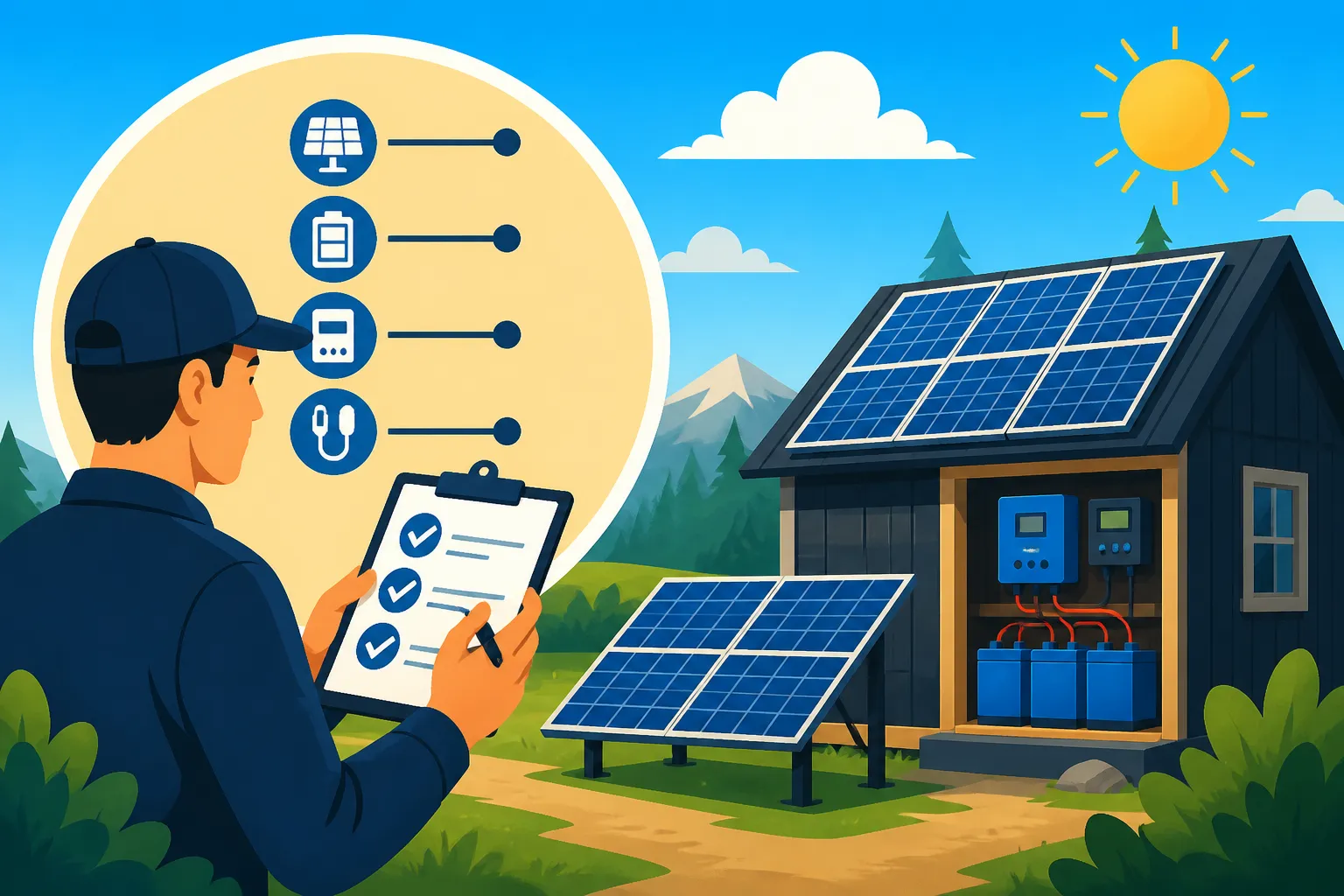
Now that we know why documentation is so important, let's dive into the nitty-gritty of what you should be documenting. Think of this as your off-grid system's personal biography, a complete story from conception to its current working state.
System Components and Specifications
This is perhaps the most fundamental part of your documentation. For every single piece of equipment in your off-grid system, you need to record detailed information. This isn't just a list; it's a data sheet for each component.
- Solar Panels: Note the manufacturer, model number (like a Renogy 100W monocrystalline panel), individual panel wattage, total array wattage, voltage at maximum power (Vmpp), current at maximum power (Impp), open-circuit voltage (Voc), short-circuit current (Isc), and installation date. If you purchased them from Amazon, keeping the original product page link and receipt can be helpful.
- Batteries: Record the manufacturer, model number, chemistry (e.g., LiFePO4, AGM), nominal voltage, amp-hour capacity (Ah), total battery bank voltage and capacity, purchase date, and any specific charging parameters (bulk, absorb, float voltages). This is especially important when considering Best Off-Grid Solar Batteries for your setup.
- Charge Controller: Crucial details include the manufacturer, model number, type (MPPT or PWM), maximum PV input voltage, maximum charge current, and all programmable settings (battery type, charge voltages, temperature compensation, equalization schedules).
- Inverter: Document the manufacturer, model number, continuous power rating (watts), surge power rating, input DC voltage range, output AC voltage, pure sine wave or modified sine wave type, and any programmable settings or error codes. For instance, knowing the specs of your Best Off-Grid Solar Inverters can significantly help with future troubleshooting.
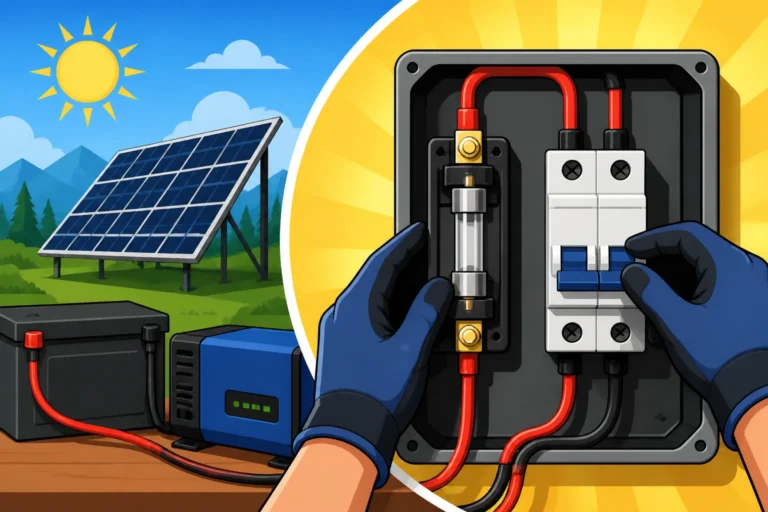
- Breakers and Fuses: List the type, amperage, and location of every single fuse and breaker in your system – both DC and AC. Seriously, number them and map them out. You'll thank yourself later when a circuit trips in the dark.
- Wire Gauges: For every major run of wiring (from panels to charge controller, charge controller to batteries, batteries to inverter), note the wire gauge (e.g., 6 AWG, 2/0 AWG) and the length. This helps with voltage drop calculations and ensures safety.
- Other Components: Don't forget smaller but essential items like combiner boxes, disconnects, battery monitors (like a Victron BMV-712), surge protectors, and any backup generators. Document their make, model, and serial numbers.
Wiring Diagrams and Layouts
This is where visual documentation becomes incredibly valuable. A picture is worth a thousand words, and a clear diagram is worth a thousand troubleshooting attempts.
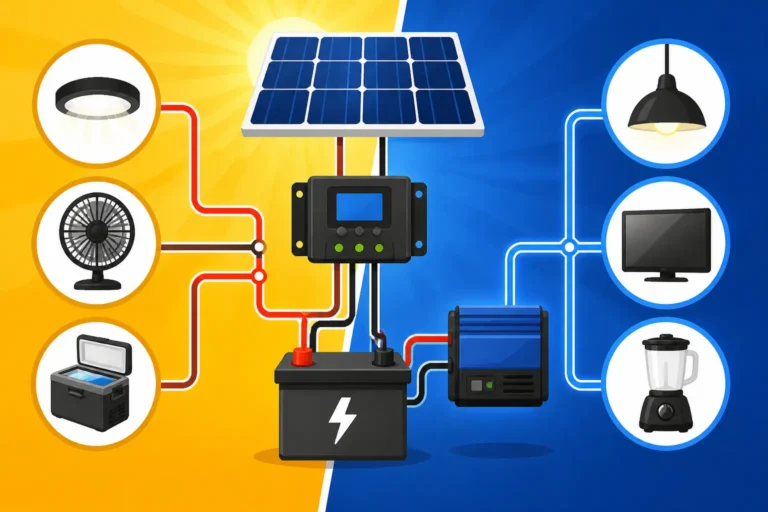
- Schematic Diagram: Create a detailed electrical schematic diagram that shows how every component is connected, from your solar panels, through the charge controller, to your battery bank, inverter, and finally to your AC and DC load centers. Label all voltages, currents, and component ratings. This should be a clean, technical drawing. You can find examples of a comprehensive Off-Grid Solar Wiring Diagram Explained online to guide you.
- Physical Layout Diagram: Complement your schematic with a diagram or series of diagrams showing the physical placement of components. Where are your panels located on your roof or ground mount? Where is the battery bank situated? Where is the inverter mounted relative to the batteries? Mark cable runs, junction boxes, and access points. This is particularly helpful for tracking down specific wires or components quickly.
- Panel Array Configuration: Specifically for your solar array, draw out how your panels are wired – series, parallel, or series-parallel. Show the strings, how they connect to a combiner box, and then to your charge controller. This is crucial for understanding your array's voltage and current output.
- Battery Bank Configuration: Similarly, diagram how your batteries are connected within your bank (e.g., four 12V batteries in series for a 48V system, or multiple parallel strings). This directly impacts your system voltage and capacity. Understanding How to Build a DIY Battery Bank properly requires careful wiring diagrams.
Performance Logs and Maintenance Schedules
Your system isn't a "set it and forget it" kind of deal. Regular monitoring and maintenance are essential for longevity and efficiency. Documenting these activities provides a history of your system's health.
- Daily/Weekly Performance Metrics: Keep a log of key performance indicators. This could include daily kilowatt-hour (kWh) production from your panels, battery state of charge (SOC) readings at morning and night, minimum daily battery voltage, and maximum inverter output. You don't need to do this indefinitely, but a few weeks of data can establish a baseline. Many modern charge controllers and inverters have data logging capabilities that can simplify this.
- Maintenance Log: Record every maintenance task performed. This includes cleaning panels (date and method), checking battery terminal connections (date and observations), topping up lead-acid batteries (if applicable), inspecting wiring for wear or damage, testing breakers, and updating firmware on smart components. Note who performed the maintenance (you or a professional).
- Troubleshooting Attempts: When an issue arises, document your troubleshooting steps. What was the symptom? What did you check? What tools did you use? What was the resolution? Even failed attempts are valuable learning experiences and can prevent you from repeating them in the future. Knowing How to Troubleshoot Off-Grid Solar effectively relies on good records.
- Component Changes and Replacements: Any time you swap out a component, even a small one like a fuse, update your documentation. Note the date of replacement, the new component's details (manufacturer, model, serial), and why the old one was replaced. This is particularly important for consumables like batteries, where knowing their lifespan helps with future budgeting.
Practical Tools and Methods for Effective Documentation
Okay, so you know what to document. Now, how do you actually do it without turning it into an overwhelming chore? The key is choosing tools and methods that fit your style and ensure your data is accessible and durable.
Digital vs Physical Records
You don't have to choose one over the other; a hybrid approach often works best.
- Physical Records: A dedicated binder or folder in your off-grid home can be invaluable. This is where you might keep physical copies of manuals, warranties, purchase receipts (especially helpful for claims, even if you bought components from Amazon), and printouts of your wiring diagrams. It's resilient to power outages and technology failures. However, it can be bulky and harder to update or share. For something like your Off-Grid Solar System Sizing Guide, a physical printout can be great for quick reference.
- Digital Records: This is where most of your day-to-day documentation will live. Digital files are easily searchable, shareable, and backed up. You can store everything in cloud services (like Google Drive or Dropbox) for access from anywhere, or on an external hard drive. This includes scanned receipts, digital manuals, spreadsheets for performance logs, and design software files. The downside is reliance on technology, which might not always be available in a true off-grid scenario, hence the importance of a hybrid approach.
Photography and Video Documentation
This is perhaps the easiest and most overlooked method, yet it's incredibly powerful. Before you start hiding wires in conduit or mounting panels, take pictures and videos.
- Installation Progress: Document your installation at various stages. Take photos of components as they arrive, packaging with serial numbers, and wires before they're tucked away. Get close-ups of connections, labels, and mounting hardware. These photos are gold for troubleshooting or proving proper installation later.
- Component Details: Get clear, well-lit photos of every component's label, model number, serial number, and specifications. Don't rely on memory for these. Take multiple angles.
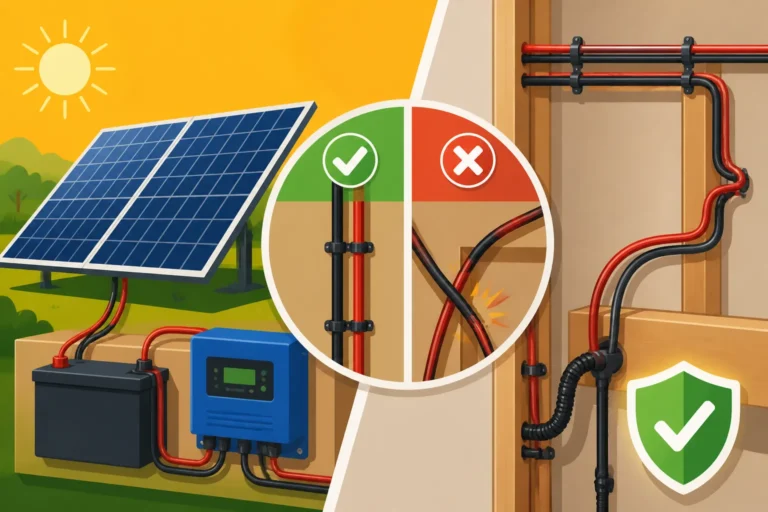
- Wiring Runs: Before closing up walls or conduit, snap photos and videos of your wire runs. This creates an X-ray view of your system that could save you hours of tracing wires down the line.
- "Before and After" Shots: Capture the state of components or areas before and after maintenance or upgrades. This provides a visual history of your system's condition. For instance, documenting how you connected your How to Connect Batteries, Inverter, and Panels visually is extremely helpful.
Software and Apps for Tracking
There's a growing ecosystem of tools designed to help you manage and track your off-grid energy.
- Spreadsheets (Excel, Google Sheets): Simple, flexible, and powerful. You can create custom templates for logging performance data, inventorying components, and tracking maintenance.
- Dedicated Monitoring Apps: Many modern off-grid components, especially from brands like Victron Energy or Renogy, come with their own apps that connect via Bluetooth or Wi-Fi. These apps often provide real-time data, historical logs, and remote configuration capabilities, which can be invaluable. Make sure to download and save reports from these apps periodically.
- CAD Software / Drawing Tools: For sophisticated wiring diagrams and layouts, consider using simple CAD software or even free online drawing tools. These allow for precise, scalable diagrams that are easy to modify.
- Note-Taking Apps: Keep a running log of observations, minor tweaks, or things you want to remember. Apps like Evernote or OneNote sync across devices and make it easy to search.
Here's a quick table summarizing key documentation elements:
| Category | Key Information to Document | Suggested Format(s) |
|---|---|---|
| System Overview | Total System Wattage (Panels), Total Battery Capacity (Ah/kWh), System Voltage (12V/24V/48V) | Spreadsheet, Diagram |
| Components | Manufacturer, Model, Serial #, Purchase Date, Cost, Specs (Voc, Isc, Ah, W, V, etc.) | Spreadsheet, Photos, Manuals |
| Wiring Diagrams | Schematic (electrical connections), Physical Layout (component placement), Panel/Battery Stringing | Drawings (Digital/Physical), Photos |
| Performance Logs | Daily kWh production, Battery SOC, Max/Min V, Daily Loads, Inverter Output | Spreadsheet, Monitoring App Reports |
| Maintenance & Events | Dates of cleaning, inspections, repairs, component replacements, troubleshooting steps | Spreadsheet, Text Document, Photos |
| Warranties & Receipts | Original Purchase Receipts, Warranty Documents, Product Manuals | Physical copies, Scanned Digital |
| Contact Info | Installer (if applicable), Component Manufacturer Support, Local Electrician | Text Document |
Maintaining and Updating Your Off-Grid Records
Creating the initial documentation is a huge step, but it's not a one-and-done task. Your off-grid system is a living thing, and your records need to reflect its evolution.
Regular Review Schedule
Just like you schedule maintenance for your car, schedule regular check-ins for your documentation. I recommend at least once a quarter, or even monthly if you're prone to making small adjustments. This isn't about overhauling everything, but about ensuring your records are current. During these reviews, you might add new performance data, note any minor changes you've made, or simply confirm that everything is still accurate. For instance, when you're doing your seasonal check-up on your system as detailed in our Off-Grid Solar Installation Guide, take a moment to update your logs.
Updating After Changes or Replacements
Any significant alteration to your system, no matter how small it seems, warrants an immediate update to your documentation. Did you replace a faulty fuse? Write it down. Did you add one more solar panel to boost your charging in winter? Update your panel count, total wattage, and potentially your wiring diagram. Did you upgrade your battery bank from lead-acid to lithium? That's a major change requiring updates to battery specs, charge controller settings, and possibly even wiring. Even replacing a simple component like a Cost of an Off-Grid Solar Inverter or a Cost of an Off-Grid Solar Battery Bank means updating your inventory. Don't put it off, as details can quickly be forgotten.
Storing Your Documentation Securely
All this hard work of documentation is useless if you lose it. Think about redundancy and accessibility.
- Physical Location: If you have a physical binder, keep it in a safe, dry, and easily accessible location within your off-grid dwelling. Perhaps in a dedicated utility closet or a fireproof safe.
- Digital Backups: For your digital files, implement a robust backup strategy. Don't rely solely on one device. Store copies on at least two different physical drives (e.g., your computer and an external hard drive) and, crucially, use a cloud storage service. This protects your data against hardware failure, fire, or theft.
- Version Control: For important documents like wiring diagrams, consider using some form of version control. Simply adding a date to the filename (e.g., "System_Diagram_V1_2023-01-15.pdf") helps you keep track of the most current version.
- Share with Trusted Individuals: If you have a partner, family member, or a trusted friend who might need to access or understand your system in an emergency, make sure they know where your documentation is and how to access it. This could be as simple as sharing a link to your cloud folder or showing them the physical binder.
By embracing documentation as an integral part of your off-grid journey, you're not just creating a pile of papers; you're building a comprehensive knowledge base that will serve you well for years to come. It simplifies maintenance, enables smart upgrades, protects your investment, and ultimately, provides invaluable peace of mind.
Disclaimer
The information provided in this guide is for general informational purposes only and does not constitute professional electrical or solar engineering advice. Always consult with a qualified electrician or solar professional before installing, maintaining, or modifying an off-grid solar system. Working with electricity can be dangerous, and improper installation can lead to injury, property damage, or fire. Adhere to all local codes, regulations, and manufacturer instructions for all components.