Best Battery Monitor Shunts
It’s a common scenario for anyone living off-grid or relying on solar power: you’ve got your panels soaking up the sun, your batteries are humming away, but how often do you truly know the precise state of charge, how much power you’re actually using, or how long your batteries will realistically last? That nagging uncertainty can be incredibly frustrating, leaving you guessing whether you can run that extra appliance or if you’re risking a premature power outage. This comprehensive guide is here to demystify battery monitor shunts, explaining exactly what they are, why they're indispensable for any off-grid setup, and how to choose and install the best one to give you complete confidence in your power system.
The Heartbeat of Your Battery Bank: Understanding Battery Monitor Shunts
When you're running on solar, your battery bank is the heart of your system. It stores all that precious energy you collect, making sure you have power when the sun isn't shining. But just like a doctor needs to monitor a patient's heartbeat, you need a way to accurately monitor your batteries. Relying solely on a simple voltmeter is like checking a pulse without knowing blood pressure or oxygen levels – it only tells you part of the story, and often not the most crucial part. This is where a battery monitor shunt steps in, providing the detailed insights you need to truly manage your power.
What Exactly Is a Shunt?
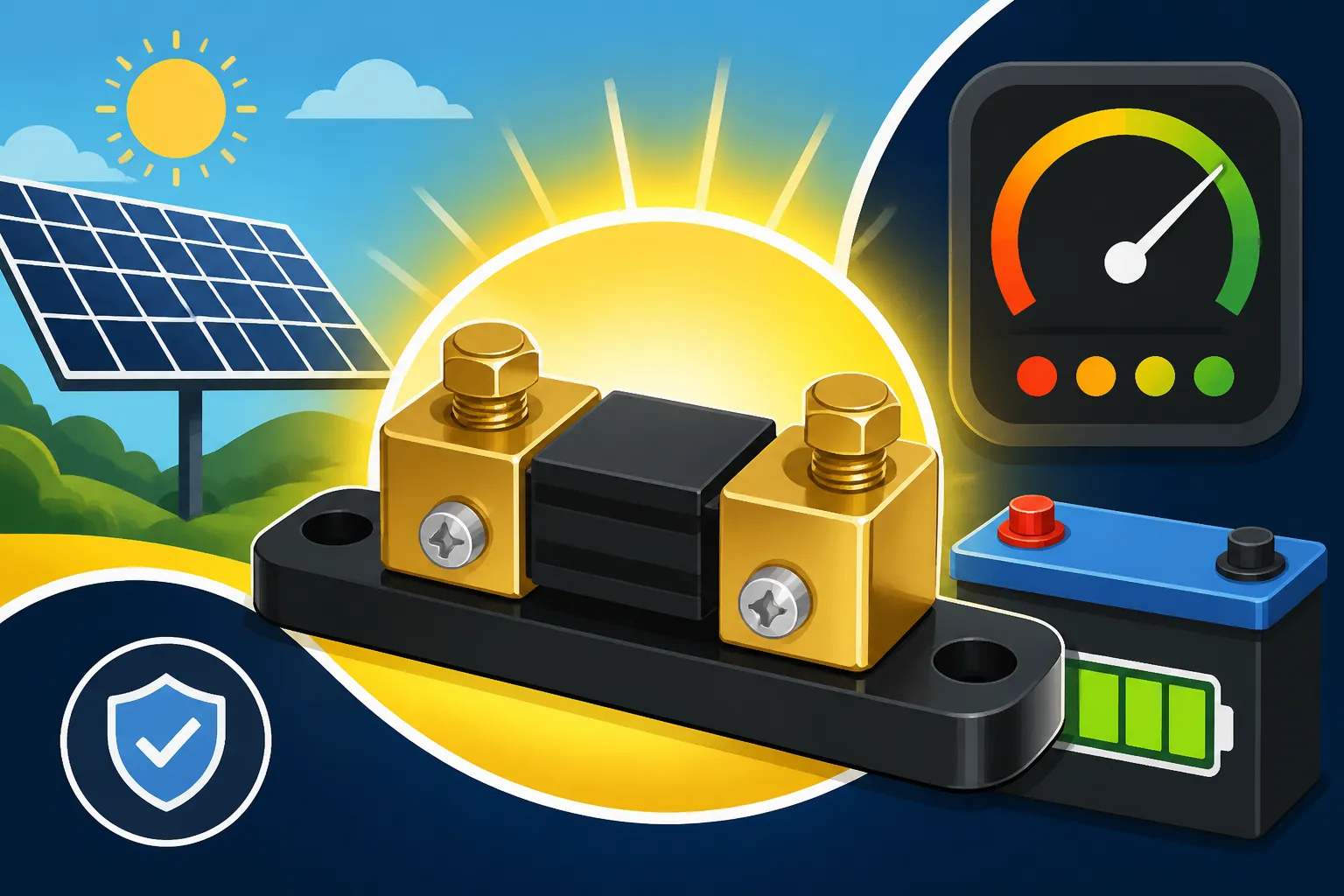
At its core, a shunt is a very precise resistor with a known resistance value. It’s typically a metal bar or block, often made of manganese or a similar alloy, that’s installed directly into the main negative cable between your battery bank and all your loads and charging sources. When current flows through this shunt, a tiny voltage drop occurs across it. By measuring this minuscule voltage drop and knowing the shunt's exact resistance, the battery monitor can use Ohm's Law (V=IR, or I=V/R) to calculate the precise amount of current flowing in or out of your batteries.
Think of it like this: if you have a perfectly calibrated pipe with a tiny restriction, you can measure the pressure difference across that restriction to figure out exactly how much water is flowing through it. The shunt works on the same principle, but with electricity. This constant, real-time measurement of current flow is what sets a shunt-based battery monitor apart from simpler, less accurate methods. Without it, you're essentially flying blind, unable to account for all the little draws and charges that impact your battery's health and longevity.
Why You Can't Live Without One for Off-Grid Living
For those of us dedicated to the off-grid lifestyle, a battery monitor with a shunt isn't just a nice-to-have gadget; it's a fundamental piece of your system. Imagine trying to manage your finances without knowing your bank balance or your spending habits. That’s what it's like trying to manage an off-grid battery bank without a shunt. You'd constantly be guessing, potentially over-discharging your expensive batteries, which significantly shortens their lifespan, or under-utilizing them because you're playing it too safe.
A good battery monitor shunt provides critical data: not just the current state of charge (like a fuel gauge for your batteries), but also real-time power consumption (how many watts or amps you're currently drawing), how much power is coming in from your solar panels, and a historical record of your usage. This allows you to make informed decisions – like knowing exactly how much charge is left before you need to turn off the lights, or if you have enough juice to run the microwave for dinner. It helps prevent costly mistakes like deeply discharging lithium batteries, which can be permanently damaged, or repeatedly abusing lead-acid batteries, which will degrade quickly. Essentially, it gives you peace of mind and empowers you to truly understand and optimize your power consumption. Having this level of detail is also crucial for understanding your true energy needs, which is a key part of learning How to Calculate Daily Energy Usage This data helps refine your system over time.
The Limitations of Simple Voltage Readings
Many entry-level off-grid setups, especially in RVs or smaller cabins, often start with just a simple voltage meter. While a voltage meter can tell you something about your battery's state, it's a remarkably inaccurate tool for precisely managing your power. The voltage of a battery, especially a lead-acid type, can fluctuate dramatically based on whether it’s under load, being charged, or just resting. A battery might show a healthy voltage when no power is being drawn, but as soon as you turn on a few appliances, the voltage can dip, giving a misleading impression of a low state of charge.
Furthermore, different battery chemistries behave differently. For instance, lithium iron phosphate (LiFePO4) batteries maintain a relatively flat voltage curve for most of their discharge cycle, meaning that a small drop in voltage could represent a significant percentage of capacity lost. This makes voltage readings even less reliable for gauging true state of charge in these popular batteries. Factors like temperature and discharge rate (Peukert's Law for lead-acid batteries) also affect voltage, adding layers of complexity that a simple voltmeter simply can't account for. A shunt-based monitor, by contrast, directly measures the flow of energy, providing an accurate "fuel gauge" by tracking amp-hours consumed and replenished, offering a much more dependable picture of your battery's health and remaining capacity. This accuracy is vital when you're looking to maximize the life of your Best Off-Grid Solar Batteries
Decoding the Specs: What Makes a Great Battery Monitor Shunt?
Choosing the right battery monitor shunt can feel a bit overwhelming, with all the different features and specifications out there. But understanding what to look for will help you select a device that perfectly suits your specific off-grid solar system, whether you’re powering a small camper or a robust homestead. It's about ensuring the monitor can handle your system's demands and provide the data you need in an accessible way.
Accuracy and Resolution
When we talk about accuracy and resolution, we're discussing how precisely the monitor can measure and display your battery's activity. A high-quality shunt and its accompanying electronics will offer superior accuracy, meaning the reported state of charge and current flow are truly reflective of what’s happening in your battery bank. This is crucial for avoiding over-discharge or inaccurate capacity readings, which can lead to premature battery wear or unexpected power loss.
Resolution refers to the smallest increment the monitor can display. For instance, can it show current in 0.1 amp increments or only whole amps? For precise power management, especially with smaller, constant loads (like a carbon monoxide detector or a small fan), higher resolution is incredibly helpful. Look for monitors that boast high precision, often specified as a percentage of error, to ensure you're getting reliable numbers. Remember, junk data leads to bad decisions, and in off-grid living, bad decisions can leave you without power.
Current Capacity
The current capacity of a shunt is one of its most critical specifications. This number tells you the maximum continuous amperage that can safely pass through the shunt without damaging it or giving inaccurate readings. Shunts are available in various capacities, typically ranging from 100A for smaller RV or van setups, up to 500A, 1000A, or even higher for large residential off-grid systems with powerful inverters.
It's absolutely vital to select a shunt with a current capacity that exceeds the maximum potential current draw and charge current of your system. For example, if your inverter can draw 300 amps at peak load, and your solar charge controller can put in 100 amps, you might need a 500A shunt to give you ample headroom. Undersizing your shunt can lead to it overheating, failing, or providing wildly inaccurate data, rendering your entire monitoring system useless. Always err on the side of caution and go for a slightly larger capacity if you're unsure or plan to expand your system later, as outlined in guides like How to Size an Off-Grid Inverter
Connectivity and Display Options
Modern battery monitor shunts aren't just about a simple screen anymore; they often come with advanced connectivity features that significantly enhance usability. The most popular options include wired displays, Bluetooth connectivity, and even integrated Wi-Fi.
Wired displays offer a straightforward, reliable way to see your data, typically on an LCD screen mounted conveniently in your living space. Many monitors, however, now integrate Bluetooth, allowing you to access all the detailed information and settings directly from your smartphone or tablet via a dedicated app. This is incredibly convenient, letting you check your battery status from anywhere within range, without having to be physically next to the monitor. Some premium systems, like certain offerings from Victron Energy, even allow for remote monitoring via the internet if you integrate them with their ecosystem and a compatible internet gateway. Brands like Renogy also offer smart displays, such as the Renogy ONE Core, that provide centralized monitoring for your entire system, including battery information from the shunt. When you're choosing, consider how and where you'll want to access your data – a basic display might be fine for a shed, but a full-time RV or cabin might benefit immensely from app-based monitoring.
System Voltage Compatibility
Battery monitor shunts are generally versatile when it comes to voltage, but it’s still important to verify that the one you choose is compatible with your specific off-grid solar system voltage. Most shunts are designed to work across a broad range, typically 12V, 24V, and 48V DC systems. This means the shunt itself, which measures current, isn't usually voltage-specific.
However, the monitor unit that connects to the shunt might have specific voltage input requirements for its own power or for accurate voltage measurement. Always double-check the product specifications to ensure the monitor is rated for your system's voltage, whether it’s a small 12V setup in a van or a larger 48V system powering a full home. Selecting the correct How to Choose System Voltage at the outset impacts not just your components, but also how efficiently your system will operate.
Leading the Charge: Top Battery Monitor Shunts You Can Trust
Navigating the market for battery monitor shunts can present you with a plethora of choices, from robust professional-grade units to more budget-friendly options. Understanding the key players and what they offer will help you make an informed decision that aligns with your needs and budget. The right monitor not only provides data but also the reliability you depend on when living off the grid.
Victron Energy BMV Series
When it comes to high-end, exceptionally accurate, and feature-rich battery monitors, the Victron Energy BMV (Battery Monitor V) series is often considered the gold standard. These monitors, particularly the BMV-712 and BMV-700 series, are renowned for their precision and reliability, making them a favorite among serious off-gridders, marine enthusiasts, and RVers who demand the absolute best.
The BMV-712 Smart is particularly popular because it includes built-in Bluetooth connectivity, allowing seamless integration with Victron's free VictronConnect app on your smartphone or tablet. This app provides a beautiful, intuitive interface where you can view all your battery parameters in real-time, customize settings, and even monitor historical data. They also feature a second input that can be used for monitoring a second battery, mid-point voltage, or battery temperature, offering even more insight into your battery health. While a Victron system represents a significant investment, its robust build quality, accuracy, and extensive feature set often justify the cost for those looking for a long-term, high-performance solution. These units are also highly regarded for their longevity, which is critical for components that are running 24/7 in an off-grid setup.
Renogy Battery Monitors
Renogy has carved out a strong niche in the off-grid solar market, particularly among DIYers and those looking for reliable equipment at a more accessible price point. Their battery monitors, such as the Renogy 500A Battery Monitor (RBM500) and the BT-2 Bluetooth Module, offer a fantastic balance of functionality and affordability.
Renogy's monitors are typically shunt-based, providing accurate real-time data like voltage, current, power, capacity, and remaining run time. They are often praised for their straightforward installation and user-friendly interfaces, which can be a huge plus if you're tackling your solar setup yourself. Many of their products are readily available and widely reviewed on platforms like Amazon, making them easy to research and acquire. For instance, the Renogy RBM500 gives you a clear LCD display that's easy to read at a glance, and when combined with their BT-2 module, you can get Bluetooth connectivity to their DC Home app for remote monitoring. If you're building a system with other Renogy components, their monitors integrate seamlessly, making them a coherent and cost-effective choice for a wide range of applications from vans to Off-Grid Solar Cost for a Cabin.
AiLi Voltmeter Ammeter
For those on a tighter budget or with simpler off-grid needs, the AiLi Voltmeter Ammeter series (often referred to simply as "AiLi monitors") offers a surprisingly capable and very popular solution. These are commonly found on online marketplaces like Amazon and are known for their compact size and basic yet effective functionality.
While they might not boast the advanced features or app connectivity of a Victron or Renogy unit, AiLi monitors still utilize a shunt to provide accurate voltage, current, and amp-hour readings. They typically come with a clear, backlit LCD display that shows key parameters. They are a solid choice for smaller systems, temporary setups, or situations where you need fundamental battery monitoring without all the bells and whistles. Many users appreciate their ease of installation and the good value they provide for their price point. Just be sure to select the correct current capacity (e.g., 100A, 300A, or 500A) to match your system’s maximum draw. For a truly minimalist setup, an AiLi monitor can provide the essential data without breaking the bank, helping you track your How Many Watt-Hours You Use Per Day effectively.
Other Reputable Brands
While Victron, Renogy, and AiLi are popular, other manufacturers also offer excellent battery monitor shunts. Brands like Xantrex, Bogart Engineering (with their Trimetric meters), and MidNite Solar (often paired with their charge controllers) provide robust monitoring solutions, particularly for larger, more complex off-grid systems. These brands typically focus on high reliability, integration with other system components (like inverters and charge controllers), and advanced programmability.
For more specialized applications, you might also find monitors from companies like Zamp Solar, which caters extensively to the RV market, or Wakespeed, known for high-performance alternator regulators and related monitoring. The choice often comes down to budget, desired features, and how well the monitor integrates with the other components you've selected for your Off-Grid Solar System Design Basics. Each has its strengths, but the core function of accurate current measurement via a shunt remains paramount across all reputable options.
Here's a quick comparison of some popular shunt-based battery monitors:
| Feature/Model | Victron BMV-712 Smart | Renogy RBM500 | AiLi Voltmeter Ammeter |
|---|---|---|---|
| Current Capacity | 500A (standard) | 500A | 100A, 300A, 500A |
| Voltage Range | 6.5V – 95V | 10V – 120V | 8V – 100V (or 300V) |
| Connectivity | Bluetooth, VE.Direct | BT-2 Module (optional) | Wired only |
| Display Type | Backlit LCD | Backlit LCD | Backlit LCD |
| Additional Inputs | Temp, Mid-point/Aux | None | None |
| Historical Data | Extensive via App | Limited on display, App | Limited on display |
| Approx. Price Range | $$$-$$$$ | $$-$$$ | $-$$ |
| Key Advantage | Precision, Connectivity | Value, DIY-friendly | Affordability, Simplicity |
Note: Prices are approximate and can vary based on retailer and package deals.
Getting It Right: Installation and Optimization of Your Shunt
So, you’ve picked out the perfect battery monitor shunt. Now comes the crucial step: installing it correctly and calibrating it for optimal performance. A poorly installed or uncalibrated shunt can provide misleading data, negating all the benefits of having one in the first place. This section will walk you through the essential steps and considerations to ensure your monitor is a reliable source of truth for your off-grid power. This process is a key part of learning How to Install an Off-Grid Battery Monitor.
Where to Install Your Shunt
The placement of your shunt is critical for accurate readings. It must be installed on the negative side of your battery bank, specifically in the main negative cable that connects to all of your loads and charging sources. This means that every single amp that goes into or out of your battery bank must pass through the shunt. If even one negative wire bypasses the shunt, your readings will be inaccurate because the monitor won't be able to account for that current flow.
Ideally, the shunt should be located as close to the battery bank as possible to minimize any stray currents or resistance from long cable runs. It should be in a dry, protected location, but easily accessible for wiring. For many setups, a dedicated battery compartment or equipment bay provides the ideal spot. Avoid placing it in areas that experience extreme temperature fluctuations if possible, as this can theoretically affect the shunt's resistance, though most quality shunts are designed to be thermally stable. Ensure it's securely mounted to prevent vibration damage, especially in mobile applications like RVs or boats.
Wiring It Up: A Step-by-Step Overview
Wiring a battery monitor shunt isn't overly complicated, but it requires careful attention to detail. Here’s a generalized overview of the process:
- Safety First: Always disconnect your battery bank's positive terminal before starting any wiring work to prevent accidental short circuits or electrical shocks.
- Identify Main Negative: Locate the primary negative cable running from your battery bank that connects to your inverter, charge controller, and DC distribution block. This is the cable you'll be interrupting.
- Install the Shunt: Cut the main negative cable and connect one end to one side of the shunt (typically marked "BATTERY" or similar) and the other end to the opposite side of the shunt (typically marked "LOAD/SYSTEM"). Ensure these connections are tight and secure, using appropriate terminals.
- Connect the Monitor: Your battery monitor unit will have two small-gauge wires for voltage sensing and usually a single small-gauge wire (the data or sense wire) that connects to the shunt's dedicated terminal.
- Voltage Sense: Connect the positive voltage sense wire to your battery bank's positive terminal. Connect the negative voltage sense wire to the "BATTERY" side of the shunt (the side connected directly to the battery's negative post). This ensures the monitor gets an accurate voltage reading directly from the battery.
- Data Wire: Connect the data wire from the monitor to the small terminal on the shunt. This is how the monitor "reads" the voltage drop across the shunt.
- Power the Monitor: Many monitors are powered by the battery bank itself, drawing a tiny amount of current from the positive and negative sense wires. Some might require a separate dedicated power input, so check your specific manual.
- Reconnect and Test: Once all connections are made and double-checked for tightness and correctness, reconnect your battery's positive terminal. The monitor should power on and begin displaying readings.
It’s always a good idea to refer to your specific monitor's manual for detailed wiring diagrams, as configurations can vary slightly between models. When you're dealing with battery banks, safe How to Wire a Battery Bank practices are absolutely paramount.
Calibration and Settings for Optimal Performance
Once installed, your battery monitor needs to be properly calibrated and configured to accurately reflect your battery bank's characteristics. This is a crucial step that many overlook, leading to inaccurate "fuel gauge" readings.
The most critical setting is the total battery bank capacity in amp-hours (Ah). This is usually listed on your batteries (e.g., a 100Ah battery). If you have multiple batteries in series or parallel, calculate the total usable amp-hours of your bank. For example, two 100Ah 12V batteries in parallel would be 200Ah total. This value tells the monitor the "size of the tank" it's tracking.
Other important settings often include:
- Peukert Exponent (for lead-acid batteries): This accounts for the fact that lead-acid batteries deliver less usable capacity at higher discharge rates. The Peukert exponent helps the monitor calculate the true remaining capacity more accurately. Lithium batteries typically have a Peukert exponent of 1.0, meaning their capacity isn't significantly affected by discharge rate.
- Charge Efficiency: This accounts for losses during charging. Batteries aren't 100% efficient at storing energy; some is lost as heat. Setting this value helps the monitor more accurately predict when the battery is truly full.
- Low Voltage Alarm Thresholds: Configure these to warn you before your batteries reach dangerously low states of charge, protecting them from damage.
Refer to your monitor's manual for precise instructions on how to access and set these parameters. Taking the time to correctly calibrate your monitor will provide you with the most reliable and useful information, truly becoming the dashboard for your off-grid power system. Correct calibration is particularly important when considering the Lifetime Cost of an Off-Grid Solar System as it helps prolong battery life.
Common Pitfalls to Avoid
Even with the best intentions, it's easy to make a few mistakes that can compromise your battery monitor's effectiveness. Being aware of these common pitfalls can save you a lot of headache and ensure your system runs smoothly:
- Bypassing the Shunt: As mentioned earlier, if any negative current path does not go through the shunt, your readings will be inaccurate. This is the single most common mistake. Double-check all negative wires originating from your battery bank to ensure they terminate on the "battery side" of the shunt, and all loads and charge sources connect to the "system side." Don't forget small phantom loads like USB chargers or even a small fan directly wired to the battery.
- Incorrect Capacity Input: Entering the wrong amp-hour capacity for your battery bank is another frequent error. If you tell the monitor you have a 200Ah bank when it's actually 100Ah, all your state-of-charge percentages will be wildly off. Always verify your total usable amp-hours.
- Loose Connections: Vibrations and environmental factors can loosen connections over time. Loose wires, especially the small sense wires, can lead to intermittent readings or complete failure. Regularly check all connections to ensure they are tight and free from corrosion.
- Ignoring Calibration: Simply installing the shunt and not configuring the settings like Peukert exponent or charge efficiency will mean your monitor is giving you a generic, rather than personalized, reading. Take the time to dial in these settings for your specific battery type.
- No "Full" Reset: Many monitors need to occasionally detect a "full" battery state (based on voltage and current thresholds) to resynchronize their amp-hour counter. If your charging sources don't consistently bring the battery to full, or if the "full" detection parameters are off, the monitor's state-of-charge reading can drift over time. Periodically ensuring your battery gets to 100% and the monitor registers it as such will keep it accurate. This ties into crucial Off-Grid Solar Maintenance Costs considerations.
By avoiding these common mistakes, you'll ensure your battery monitor shunt is an invaluable asset, providing accurate and reliable data that empowers you to efficiently manage your off-grid power, protect your investment in batteries, and truly enjoy the freedom of solar living.
Disclaimer
Please note that the information provided in this guide is for general informational purposes only and does not constitute professional electrical advice. Working with off-grid solar systems involves high voltages and currents that can be dangerous. Always consult with a qualified electrician or solar professional before installing or modifying any electrical system. Follow all local codes, regulations, and manufacturer instructions for all components. The author and publisher are not responsible for any injury, damage, or loss resulting from the use or misuse of this information.