Cost to Run A Tv on Off-Grid Solar
There’s nothing quite like the dream of an off-grid lifestyle: fresh air, self-sufficiency, and the peace that comes with being disconnected from the hustle and bustle. But let’s be real, most of us aren't ready to give up all modern comforts. The thought of unwinding with your favorite show or catching up on news can quickly bring a knot of anxiety: will my solar system handle it, and how much is it really going to cost to run a TV on off-grid solar? It's a completely valid concern, and navigating the power demands of even seemingly small appliances can feel like a daunting task. This guide will walk you through everything you need to know, from understanding your TV’s power draw to estimating the full cost of keeping it running smoothly on solar.
Understanding Your Television's Power Demands
Before you can even begin to think about costs or components, the first crucial step is to really get a handle on how much power your television actually consumes. This isn't just a simple number; it involves understanding different types of power, the television technology itself, and even your viewing habits. Many people underestimate this, leading to undersized systems and frustration down the line. It's a common mistake, so don't feel bad if this is new territory for you!
How Much Power Does a TV Actually Use?
The power consumption of a television can vary wildly depending on its size, technology, and even the content being displayed. Gone are the days when all TVs were power-hungry behemoths. Modern TVs, especially LED and OLED models, are significantly more efficient than their predecessors like plasma or older CRT (cathode ray tube) sets.
When we talk about power, we're typically looking at watts (W) for instantaneous draw and watt-hours (Wh) for total energy consumed over time. A typical 40-inch to 55-inch LED TV might draw anywhere from 50 to 120 watts while it's actively on. An OLED TV of the same size might be slightly more efficient, often in the 40-90 watt range, but their power draw fluctuates more dramatically with screen brightness and content (darker scenes use less power, brighter scenes use more). For larger screens, say 65 inches or more, you could be looking at 150-250 watts or even higher for some premium models. Remember to check the energy label on your specific TV, or even better, use a kill-a-watt meter to get a real-world reading. That little sticker on the back or in the manual is your best friend here.
Beyond active viewing, don't forget standby power. While it's minimal (often 0.5 to 2 watts), it adds up if your TV is plugged in 24/7. In an off-grid setup, every watt counts, so many folks choose to completely disconnect their TV when not in use, either by unplugging it or using a switchable power strip. This might seem like a small detail, but when you're meticulously calculating your energy budget, even these tiny sips of power contribute to your overall load, and ignoring them can lead to your batteries draining faster than expected, especially overnight.
Factoring in Viewing Habits and Usage
Once you know your TV's wattage, the next critical step is to consider how often and for how long you'll actually be watching it. This is where watt-hours (Wh) become important, as they represent the total energy consumed over a period. For instance, if your 80-watt TV is on for 4 hours a day, that's 320 Wh (80W x 4h). If you watch it for 6 hours, it's 480 Wh. This daily total helps determine your daily energy requirement.
Think about your routine: are you a casual viewer, catching an hour of news in the morning and a movie at night? Or are you a binge-watcher who might have the TV on for 8-10 hours a day, especially on cloudy days when other activities might be limited? Your lifestyle heavily influences the necessary size of your solar panels and battery bank. It's not just about the peak power draw, but the cumulative effect of that draw over many hours. Being realistic about your viewing habits is key to accurately sizing your system and avoiding the frustration of running out of power mid-show. You can learn more about how to calculate your daily energy usage to get a precise understanding of your needs.
It's also worth considering other related electronics. Are you running a streaming device like an Apple TV or Roku, a Blu-ray player, or a soundbar alongside your television? Each of these devices has its own power draw, however small, and they need to be added to your overall calculation. For example, a streaming stick might use 3-5 watts, and a soundbar could use 10-20 watts. These small additions can easily push your total entertainment power consumption from 80 watts to over 100 watts, which directly impacts the size and cost of your solar setup.
Key Components of an Off-Grid TV Solar Setup and Their Costs
Running a TV off-grid isn't just about plugging it into a solar panel. It requires a complete system of interconnected components, each playing a vital role. Understanding these parts and their individual costs will give you a clearer picture of the overall investment. This is often where people get overwhelmed, but breaking it down makes it much more manageable.
Solar Panels: Generating the Power
Solar panels are your primary source of energy, converting sunlight into electricity. The size (wattage) and number of panels you need will directly correlate with your TV's energy demands and your desired viewing hours. As a rough guideline, if your TV consumes 100 watts and you plan to watch it for 5 hours, you'll need 500 watt-hours per day just for the TV. Factoring in system inefficiencies and days with less sun, you'll likely need to generate significantly more.
For a modest TV setup, a couple of 100-watt to 200-watt solar panels might suffice for seasonal use or light viewing. For more frequent or longer viewing, especially if you have other loads, you might need 400 watts, 600 watts, or even more. Panels themselves range in price from about $0.50 to $1.00 per watt, depending on brand, efficiency, and size. So, a 100W panel could be $50-$100, while a 400W panel might run $200-$400. You might consider purchasing them from a reputable retailer on platforms like Amazon. Remember that mounting hardware, wiring, and fuses also add to the solar panel cost. Investing in quality panels that are durable and efficient, like those from Renogy or Rich Solar, can pay off in the long run.
It’s not just about the raw wattage; geographical location and seasonality play a massive role. In areas with fewer "peak sun hours" or during winter months, you’ll need a larger array to capture enough sunlight to meet your needs. For year-round living or cloudy regions, you might need to significantly oversize your solar array to compensate. This is why it's so important to accurately determine how many solar panels for off-grid living you truly need, considering all these factors.
Batteries: Storing the Energy
Batteries are arguably the most expensive and crucial component of your off-grid system, especially when it comes to running appliances like a TV after the sun goes down. They store the energy generated by your solar panels for later use. For a TV, you'll need enough battery capacity to power it for your desired viewing time, plus a buffer for cloudy days or extended use.
Battery capacity is typically measured in amp-hours (Ah) or kilowatt-hours (kWh). For a TV setup, common choices include lead-acid (AGM or Gel) or Lithium Iron Phosphate (LiFePO4) batteries. LiFePO4 batteries, while having a higher upfront cost (often $200-$500 per 100Ah for a 12V battery), offer significantly longer lifespans (3,000-5,000 cycles vs. 300-1,000 for lead-acid), deeper discharge capabilities (80-100% vs. 50%), and consistent power output. Lead-acid batteries are cheaper upfront (e.g., $150-$300 for a 100Ah 12V AGM battery) but require more careful management and replacement more frequently.
If your TV draws 100 watts, and you want to watch for 5 hours, that's 500 Wh. In a 12V system, that's roughly 42 Ah (500Wh / 12V). You'd want to at least double this for practical use, accounting for inverter efficiency losses and battery depth of discharge, so a 100Ah 12V battery might be a good starting point for just a TV and a few small lights. For more comprehensive viewing or additional appliances, you'd quickly scale up to 200Ah, 400Ah, or even multiple batteries wired together to create a larger battery bank. Considering the cost of an off-grid solar battery bank is essential to your overall budget. Many off-grid enthusiasts often budget for off-grid batteries as a separate, significant expense.
Inverters and Charge Controllers: The Brains of the System
These two components act as the critical intermediaries between your panels, batteries, and the TV.
- Charge Controller: This device regulates the voltage and current coming from your solar panels to safely charge your batteries, preventing overcharging and extending battery life. For most small to medium off-grid TV setups, an MPPT (Maximum Power Point Tracking) charge controller is recommended. They are more efficient (10-30% more power harvest than PWM controllers) but also more expensive. A good quality MPPT controller for a small system (up to 400W-600W of panels) might cost $100-$300. For larger systems, these costs can increase. Learning how to choose an off-grid charge controller is crucial for system longevity.
- Inverter: Your TV typically runs on AC (Alternating Current) power, while your solar panels and batteries produce DC (Direct Current). An inverter converts DC power from your batteries into usable AC power for your television. For sensitive electronics like a TV, a pure sine wave inverter is an absolute must. Modified sine wave inverters are cheaper but can damage electronics, cause buzzing sounds, and run them inefficiently. A pure sine wave inverter capable of handling your TV's wattage (plus any other AC loads you might run simultaneously) could range from $150 for a small 500W unit to $500+ for a 2000W or 3000W model, depending on features and brand quality. Victron and Renogy are popular brands known for their reliable inverters. You can find many options for the cost of an off-grid solar inverter.
For instance, if your TV peaks at 120W, and you might occasionally run a laptop (60W) or a charging phone (10W) at the same time, you'd want an inverter that can comfortably handle 200-300W continuously, with a good surge capacity. Many people opt for at least a 1000W or 2000W inverter to give themselves flexibility for future expansion or to run larger loads if needed. Understanding how to size an off-grid inverter properly will prevent frustrating power cut-offs.
Estimating Total Costs for a TV-Specific Setup
Now that we’ve broken down the individual components, let’s put it all together. The total cost to run a TV on off-grid solar isn't a fixed number; it's a spectrum based on your viewing habits, desired autonomy, and component choices. It’s also crucial to remember that this estimate is primarily for the TV and related accessories, not for an entire off-grid home.
Example Scenarios and Budgets
Let's look at a few hypothetical scenarios to illustrate the range of costs you might encounter. These are general estimates and can fluctuate based on sales, brands, and where you purchase your equipment (e.g., from dedicated solar suppliers or general online marketplaces like Amazon).
Scenario 1: Minimalist Viewer / Weekend Warrior (Small TV, Occasional Use)
- Usage: A 32-inch LED TV (approx. 40W) used for 2-3 hours per day.
- Components:
- Solar Panels: One 100W monocrystalline panel ($80-$120).
- Battery: One 100Ah 12V LiFePO4 battery ($200-$400). You could opt for a cheaper AGM, but LiFePO4 offers better value long-term.
- Charge Controller: 20A MPPT charge controller ($100-$180).
- Inverter: 500W Pure Sine Wave Inverter ($150-$250).
- Wiring/Mounting/Fuses: ($50-$100).
- Estimated Total Cost: $580 – $1,050
- Consideration: This setup provides enough power for the TV and perhaps some phone charging. It's a great option for a tiny home, RV, or cabin where power needs are very modest. Companies like Jackery offer portable power stations that integrate many of these components into one unit, perfect for this kind of setup if you want something plug-and-play.
Scenario 2: Regular Viewer / Small Cabin (Medium TV, Daily Use)
- Usage: A 50-inch LED TV (approx. 80W) used for 4-5 hours per day, plus a streaming device (10W). Total 90W for 5 hours = 450 Wh/day.
- Components:
- Solar Panels: Two 100W panels or one 200W panel ($160-$300).
- Battery: One 200Ah 12V LiFePO4 battery ($400-$700) for more autonomy.
- Charge Controller: 30A MPPT charge controller ($150-$250).
- Inverter: 1000W Pure Sine Wave Inverter ($200-$400).
- Wiring/Mounting/Fuses: ($100-$200).
- Estimated Total Cost: $1,010 – $1,850
- Consideration: This system provides more comfort and allows for a bit more flexibility, maybe running a small fan or charging more devices simultaneously. You might find ready-made kits in this range, such as a 400W Off-Grid Solar System that simplifies purchasing.
Scenario 3: Entertainment Enthusiast / Full-Time Living (Large TV, Extended Use)
- Usage: A 65-inch OLED TV (approx. 150W) used for 6-8 hours daily, plus a gaming console (100W) or sound system (50W). Total approx. 300W for 7 hours = 2100 Wh/day.
- Components:
- Solar Panels: Four 200W panels or two 400W panels (800W total) ($600-$900).
- Battery: Two 200Ah 12V LiFePO4 batteries (or equivalent 48V system) ($800-$1,400).
- Charge Controller: 60A MPPT charge controller ($250-$450).
- Inverter: 2000W-3000W Pure Sine Wave Inverter/Charger ($500-$1,000).
- Wiring/Mounting/Fuses/Distribution: ($200-$400).
- Estimated Total Cost: $2,350 – $4,150+
- Consideration: This is approaching a small whole-house system just for entertainment. It offers significant power and autonomy, allowing for serious media consumption. This kind of setup might overlap with the cost of a 1000W Off-Grid Solar System or a 2000W Off-Grid Solar System, which would power more than just a TV.
Hidden Costs and Long-Term Considerations
The upfront cost of components isn't the whole story. There are several other factors that contribute to the true cost of running your TV on off-grid solar over time.
- Maintenance: While solar systems are generally low maintenance, batteries need care. Lead-acid batteries require periodic water checks and cleaning. Even LiFePO4 batteries benefit from monitoring and occasional balancing. Panels may need cleaning. These are minor costs but part of the lifetime cost of an off-grid solar system.
- Replacement: Batteries, especially lead-acid, have a finite lifespan and will need to be replaced, typically every 3-7 years for lead-acid and 10-15+ years for LiFePO4. The cost to replace off-grid solar batteries over time can be a significant recurring expense. Solar panels are more durable, often lasting 20-30 years, but inverters can fail, typically after 5-10 years.
- Efficiency Losses: No system is 100% efficient. You lose power during conversion (inverter), charging/discharging (battery), and due to wiring resistance. Account for 15-20% overall system loss, meaning you need to generate more power than your TV directly consumes.
- Expansion: Many off-gridders start small and expand later. If you initially size a system just for a TV, but then decide you want to add a refrigerator or an air conditioner, you’ll be adding more panels, batteries, and possibly upgrading your charge controller and inverter. Planning for future expansion, even if you don't implement it immediately, can save money in the long run by choosing components that can scale.
| Component Category | Low-End Estimate (Small TV, Minimal Use) | Mid-Range Estimate (Medium TV, Regular Use) | High-End Estimate (Large TV, Enthusiast Use) |
|---|---|---|---|
| Solar Panels | $80 – $120 (100W) | $160 – $300 (200W) | $600 – $900 (800W) |
| Battery Bank | $200 – $400 (100Ah LiFePO4) | $400 – $700 (200Ah LiFePO4) | $800 – $1,400 (2x200Ah LiFePO4) |
| Charge Controller | $100 – $180 (20A MPPT) | $150 – $250 (30A MPPT) | $250 – $450 (60A MPPT) |
| Inverter | $150 – $250 (500W Pure Sine) | $200 – $400 (1000W Pure Sine) | $500 – $1,000 (2000-3000W Pure Sine) |
| Wiring & Misc. | $50 – $100 | $100 – $200 | $200 – $400 |
| Total Estimate | $580 – $1,050 | $1,010 – $1,850 | $2,350 – $4,150+ |
Note: These are component costs and do not include potential installation fees if you hire a professional, or the cost of tools if you DIY.
Tips for Optimizing Costs and Efficiency
You've got the vision of your off-grid media center, and now you have a clearer picture of the investment involved. But don't despair if the numbers feel a bit high! There are plenty of strategies you can employ to bring down costs and ensure you're getting the most out of every ray of sunshine. It's all about being smart with your choices and habits.
Choosing Energy-Efficient Televisions
The single biggest impact you can have on your solar system's size and cost is by selecting an energy-efficient TV from the start. Newer isn't always better, but generally, LED and especially OLED TVs are far more efficient than older technologies. Look for models with an Energy Star rating, which signifies they meet strict energy efficiency guidelines.
When shopping, compare the rated wattage of different models. A 40-inch TV that draws 40 watts is going to be significantly cheaper to power off-grid than a similar-sized model that draws 80 watts, even if they're the same price at the store. That 40-watt difference means fewer solar panels and smaller batteries required, translating into hundreds, if not thousands, of dollars saved on your overall off-grid solar system cost. Brands are constantly innovating, so checking the specs for the most efficient models available can really make a difference. Some TVs even have "eco modes" or ambient light sensors that automatically adjust brightness, further reducing consumption.
Another consideration, especially for smaller off-grid setups like vans or tiny homes, is exploring 12V DC TVs. These TVs are designed to run directly off your battery bank, bypassing the inverter altogether. Eliminating the inverter means no inverter efficiency losses (typically 10-15%), which can be a significant saving in terms of actual power usage. While the selection might be more limited and the upfront cost potentially higher for a dedicated 12V model, the long-term energy savings can be substantial, especially if your TV is a major load. You can often find these specifically marketed for RV or marine use.
Smart Usage Habits to Save Power
Beyond the equipment itself, your habits play a massive role in how much energy your TV consumes and, by extension, how robust (and expensive) your solar system needs to be. This is where personal discipline and awareness can really save you money.
- Mindful Viewing: Simple, but effective. Turn the TV off when no one is actively watching it. It sounds obvious, but background noise often leads to unnecessary power drain. If you're using it for background audio, consider a small, low-power radio or Bluetooth speaker instead, which will consume a fraction of the power.
- Optimize Settings: Most modern TVs come out of the box with bright, vibrant settings that might look great but are energy hogs. Go into your TV's picture settings and reduce the brightness, contrast, and backlight intensity. Often, a slightly dimmer picture is still perfectly enjoyable and can cut power consumption by 10-30% or more. Disable features you don't use, like motion smoothing or internet-connected smart features if you're not streaming.
- Unplug or Switch Off: As mentioned earlier, standby power, while small, accumulates. If your TV isn't going to be used for several hours or overnight, consider completely cutting power to it. This can be done with a simple power strip with an on/off switch or by installing a dedicated switch on its circuit. In an off-grid setup, every single watt-hour saved is another watt-hour stored in your battery for when you truly need it.
- Group High-Draw Activities: If you have other high-power draw appliances, try to run them when your solar panels are actively producing maximum power (typically midday). While a TV isn't usually a "high-draw" appliance compared to a well pump or air conditioner, if you're also charging a laptop or running a gaming console, doing so when the sun is shining brightly helps reduce the drain on your battery bank. This strategy helps optimize your entire system, not just the TV's usage.
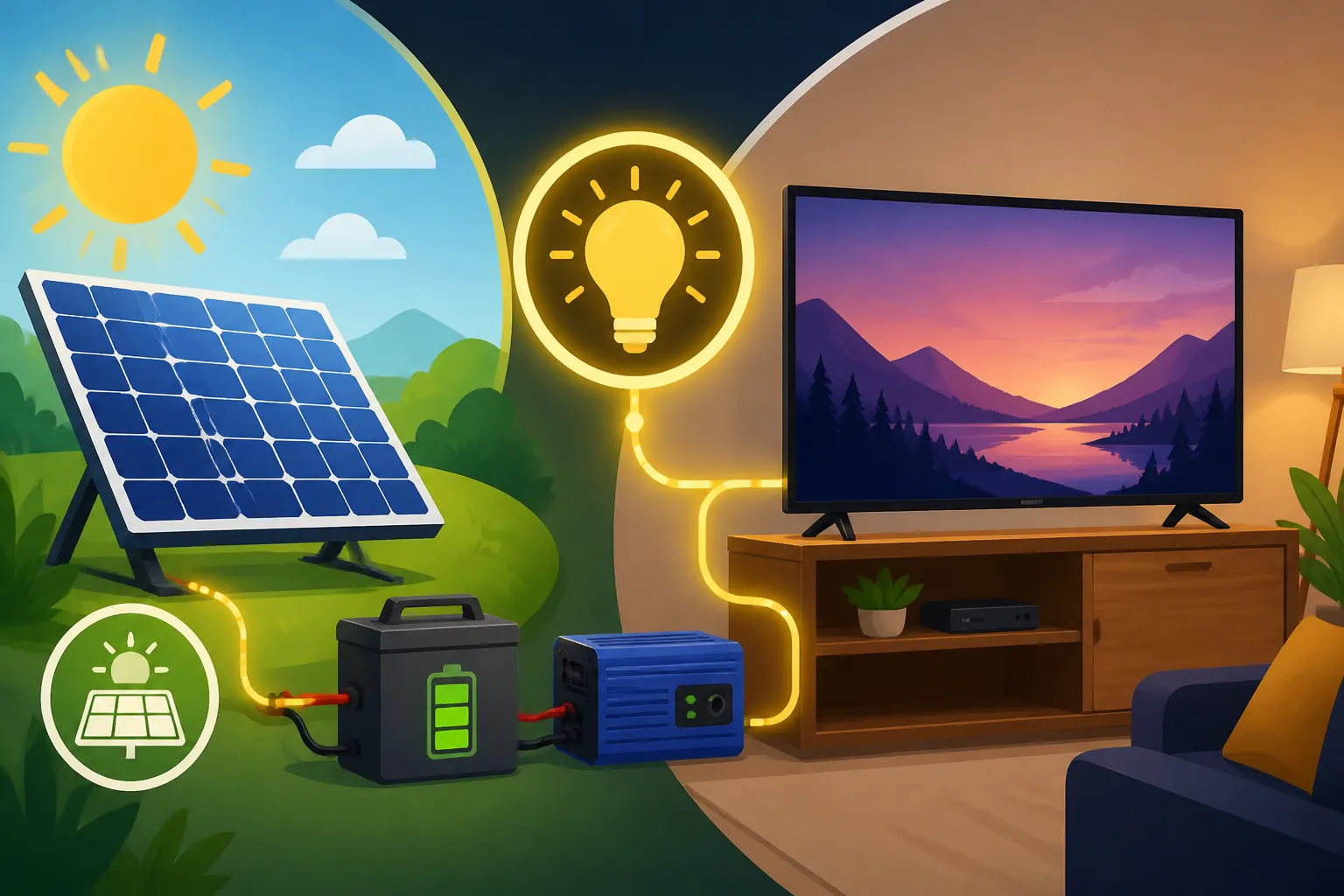
- Consider Portable Power Stations for Occasional Use: For those with very intermittent TV needs, or if you're just starting your off-grid journey and want a taste of solar power for your entertainment, a portable solar generator could be a fantastic entry point. Brands like Jackery or Bluetti offer compact units that combine a battery, inverter, and charge controller. You can plug a solar panel directly into them, and then plug your TV into the AC outlet on the unit. This provides a flexible, albeit smaller, solution without committing to a full-blown system immediately. It can be an excellent way to dip your toes in and figure out your actual usage patterns before investing in a larger, permanent setup. For many, a portable unit from Amazon is the first step toward understanding their specific off-grid solar needs.
By combining smart equipment choices with conscious viewing habits, you can significantly reduce the investment required and the stress of keeping your off-grid TV running smoothly.
Disclaimer
The information provided in this guide is for general informational purposes only and does not constitute professional advice. Off-grid solar system design and installation can be complex and should ideally be undertaken with the guidance of a certified professional. Always consult with qualified electricians or solar technicians to ensure your system is properly sized, safely installed, and compliant with all local codes and regulations. Incorrect installation or sizing can lead to property damage, fire hazards, or personal injury.